Most people only think about call recording when something important is at stake: a client agreement, a support call, a legal dispute or a safety concern. In those moments, guessing is not enough. You need to understand how call recording works on smartphones so you know what can actually be recorded, what your phone and apps are doing in the background and where the legal and privacy limits really are.
Contents
- 1 1. How Call Recording Works On Smartphones
- 2 2. Audio Hardware And Signal Flow Inside Smartphones
- 3 3. How Call Recording Works On Android Phones Today
- 4 4. How Call Recording Works On iPhones And Why It Is Different
- 5 5. Call Recording For VoIP And Messaging Apps
- 6 6. Storage, File Formats And Data Handling For Call Recordings
- 7 7. Legal, Ethical And Privacy Rules For Call Recording
- 8 8. Practical Benefits And Real Risks Of Call Recording
- 9 9. Step By Step – How To Enable And Test Call Recording Safely
- 10 10. Troubleshooting Call Recording On Smartphones
- 11 FAQs About How Call Recording Works On Smartphones
- 12 Conclusion – Using Call Recording On Smartphones The Right Way
1. How Call Recording Works On Smartphones
When people search how call recording works on smartphones, they want a fast, plain English explanation, not a manual. Here it is.
How Call Recording Works On Smartphones
- Short answer: How call recording works on smartphones is by copying the in-call audio stream from the phone’s audio system and saving it as a sound file.
- Flow: Your voice and the other party’s voice go through the mic and network into the OS audio mixer; a dialer or recording app taps that stream and writes it as MP3, AAC or a similar format.
- Android vs iOS: Many Android phones allow native or app based call recording; iOS keeps the in-call stream locked, so iPhone recording usually relies on workarounds or external services.
- VoIP: Apps like WhatsApp, Zoom or Teams handle their own encrypted audio and may offer built in recording or block third party tools.
- Legal note: In many places you must inform the other party or get consent, so understanding how call recording works on smartphones always includes understanding local law.
1. Who This Guide Is For
- Professionals and freelancers needing proof of what was agreed on calls
- Support and sales teams using recordings for training and quality
- Business owners and managers handling company phones and compliance
- Privacy conscious users who want to know exactly what is recorded
2. What Call Recording Really Does On A Smartphone
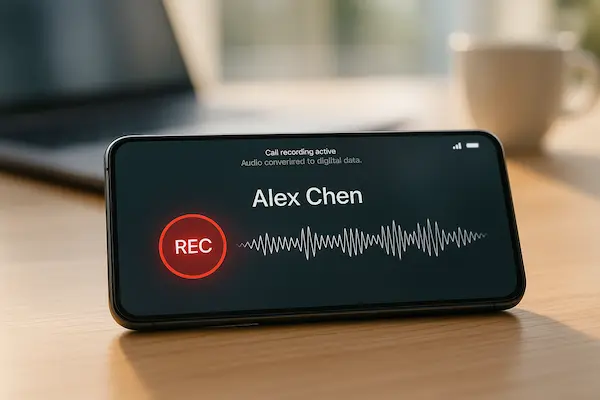
Call recording takes the live sound of a call and turns it into a file you can replay. Instead of only sending audio to your earpiece or speaker, the system also lets a dialer or app copy the in-call stream and save it with a time and number or contact name.
3. High Level Signal Path From Voice To File
- You and the other person talk.
- The microphone and network bring both voices into the phone.
- The audio codec converts sound to digital data.
- The OS audio mixer routes that data to your speaker or headset.
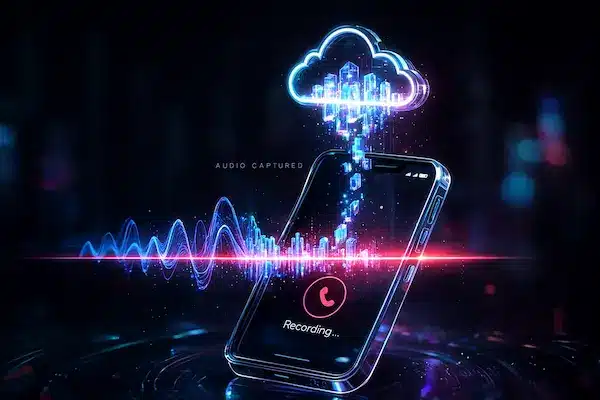
- A recording function or app taps the in-call stream and saves it as an audio file.
4. Android And iOS At A Glance
- Android: some phones add a record button in the dialer, and certain apps can still access call audio within Google’s current limits.
- iOS: Apple does not expose the in-call stream to apps, so most iPhone solutions use three way calling to a recording service, external hardware or VoIP recording rather than direct cellular call recording.
2. Audio Hardware And Signal Flow Inside Smartphones
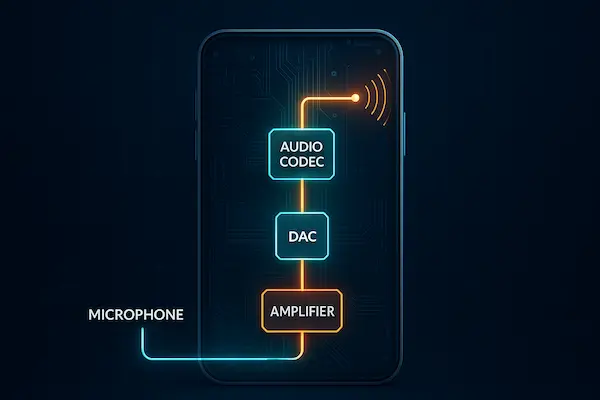
To really understand how call recording works on smartphones, it helps to know what happens to your voice inside the device. The phone is constantly routing sound through mics, speakers and an internal audio pipeline before any app can record it.
1. Microphones, Speakers And Noise Cancellation
Modern phones use several microphones and speakers at once:
- A primary mic near your mouth for calls
- Extra mics for noise cancellation and stereo recording
- Earpiece, loudspeaker and sometimes Bluetooth or wired headsets
During a call, the system tries to keep your voice clear and background noise low. That same processed signal is what a call recording feature usually captures, not the raw room sound.
2. Analogue To Digital Conversion And Audio Codecs
Your voice starts as an analogue signal. Inside the phone:
- An audio codec chip converts analogue sound into digital samples
- The system applies basic processing like gain and filtering
- The recording function encodes the stream as MP3, AAC, AMR or another codec
These steps decide how clean and how big your recordings are. Low bitrate saves space but can make voices sound flat or noisy.
3. Voice Call Audio Stream Versus Media Audio Stream
Smartphones treat call audio differently from music and video:
- Voice call stream is used for cellular and many VoIP calls
- Media stream is used for music, videos, games and some app sounds
On many devices, apps can easily capture the media stream but cannot freely tap the protected voice call stream. That split is one of the main reasons how call recording works on smartphones feels smooth in some apps and completely blocked in others.
3. How Call Recording Works On Android Phones Today
On Android, how call recording works on smartphones depends on three things: Android version, manufacturer dialer and Google’s policies. That is why one recorder works perfectly on one phone and fails on another.
1. Android Audio Streams And Phone Call Routing
- Cellular calls use a protected voice call stream, separate from the media stream.
- The mic and network audio both flow through this voice stream, then to your earpiece or speaker.
- Call recording needs access to that voice stream, not just normal media audio.
2. Native Dialer Call Recording Versus Third Party Apps
- Native dialer (built in Phone app) often has deeper system access:
- Stable volume, both sides recorded clearly
- Recordings listed right inside the call log or in a simple folder
- Third party apps may:
- Use older audio sources that no longer work on new Android
- Fall back to “mic only” and record you clearly but the other side very quietly
That is why call recording usually feels more reliable with the manufacturer dialer.
3. Android Versions, Google Policies And Call Recording Limits
- Older Android versions allowed more direct access to in call audio.
- Newer versions and Play Store rules block or limit those methods for privacy.
- Result: apps that worked on Android 8–9 may partly or fully fail on Android 12–14.
So how call recording works on smartphones with Android is as much about policy as it is about pure technology.
4. Why Some Android Call Recorders Work Only On Certain Devices
- Brands customise the dialer and audio stack differently.
- Carriers may disable call recording in specific regions.
- Chipsets and drivers handle audio streams in their own way.
Two phones that look similar on paper can behave very differently, which is why testing on your exact Android model is always part of any serious call recording setup.
4. How Call Recording Works On iPhones And Why It Is Different
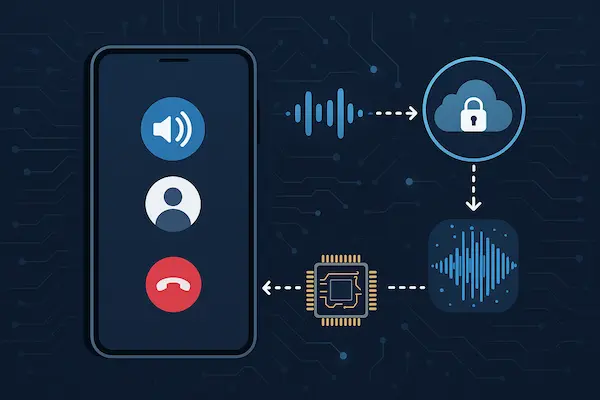
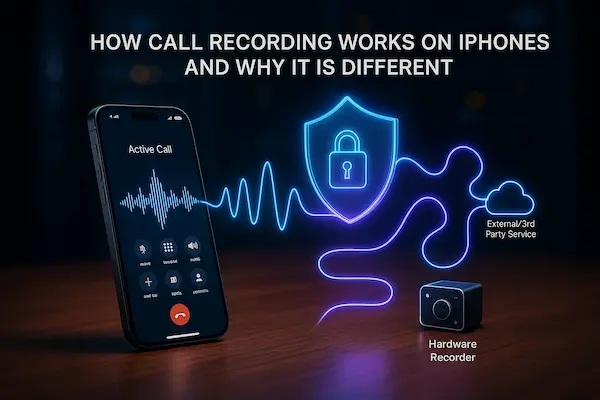
If you use an iPhone, how call recording works on smartphones is very different from Android. Apple keeps the in-call audio stream locked inside the Phone app, so normal apps cannot just access it and save it as a file.
1. iOS Audio Architecture And Protected Call Streams
On iOS:
- The system Phone app owns the cellular call audio stream
- Third party apps only see media audio or their own VoIP audio
- There is no public API that exposes the live in-call stream from the Phone app
This design makes silent call recording by random apps much harder.
2. Why Direct In Call Recording Is Blocked On iPhone
Apple blocks direct in-call recording mainly for three reasons:
- Privacy and consent, so people are not recorded without knowing
- Legal complexity, because call recording laws differ by country
- Platform control, because Apple wants tight control over sensitive functions
Even if you install a “call recorder” from the App Store, it cannot simply tap the native call stream the way many Android dialers can.
3. Common iOS Workarounds And Their Limitations
Because of these limits, iPhone call recording usually relies on workarounds:
- Three way calling with a recording service that stores the audio on its own servers
- External hardware, for example putting the call on speaker and recording with another device
- VoIP recording inside apps such as Zoom or Teams that offer their own record button
These options can work, but they add extra steps, possible costs and sometimes weaker audio quality. They also do not change the legal rules. You still need to treat call recording on iPhone as both a consent issue and a policy decision, not just a technical trick.
5. Call Recording For VoIP And Messaging Apps
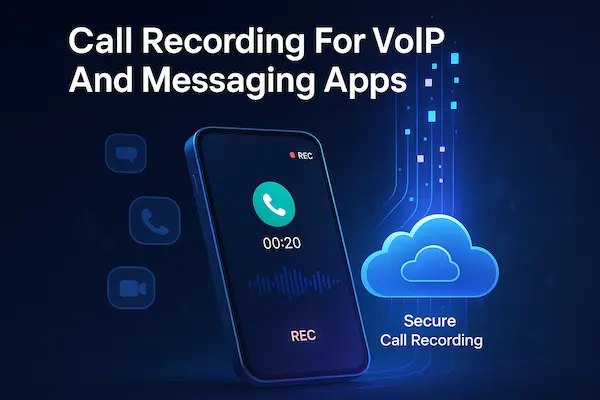
A big part of modern calls now happens inside apps like WhatsApp, Telegram, Signal, Zoom or Teams. That is why how call recording works on smartphones changes as soon as the call is VoIP based instead of a normal cellular call.
1. VoIP Call Audio Versus Cellular Call Audio
- VoIP apps handle audio inside the app, not in the classic cellular voice channel
- They usually use the media audio stream plus encryption
- A recorder that only hooks into the cellular voice stream may capture nothing at all
So for VoIP, how call recording works on smartphones is mostly decided by each app, not just Android or iOS.
2. Built In Recording Features In Meeting And VoIP Apps
- Many meeting and business VoIP tools include their own record button
- The app saves audio or audio plus video in its own storage or on its servers
- Participants often see a recording indicator and the host controls access
In these cases, you are relying on the app’s recording, not on a separate phone recorder.
3. Third Party Workarounds And Their Trade Offs
- People sometimes use screen recording with system audio, or record speaker output
- These methods can work, but quality may be uneven and notifications can leak into the file
- Legal and consent rules still apply, even if the method feels indirect
The safest mindset is simple: treat VoIP calls like any other call and apply the same legal and privacy checks before you record them.
6. Storage, File Formats And Data Handling For Call Recordings
To fully understand how call recording works on smartphones, you also need to know what happens after you hit record: which format the audio uses, where it lives and how long you keep it.
1. Common Call Recording Formats And Quality
Most call recording apps use a few familiar formats:
- AMR – tiny files, basic voice quality, enough for proof
- AAC – good clarity with small to medium size, common on modern phones
- MP3 – very compatible, decent quality, medium size
- WAV – uncompressed, best quality, very large files
Higher quality means bigger files, so choose the lightest format that still fits your real use case.
2. Where Call Recordings Are Stored On The Phone
Recordings are usually stored in:
- App internal storage – more private because other apps cannot read files directly
- Shared folders – easier to find and copy, but more exposed to other apps and users
- SD card on some Android devices – flexible, but easier to remove or lose
For sensitive calls, app internal storage plus a planned backup is usually safer.
3. Cloud Sync And Cross Device Access
Many tools add cloud sync on top of local storage:
- Upload recordings to a server or cloud drive
- Let you listen from a web dashboard or another device
This makes how call recording works on smartphones more convenient, but also more risky if accounts are weak or unencrypted. Once the audio leaves the phone, access control and account security become just as important as the recording feature itself.
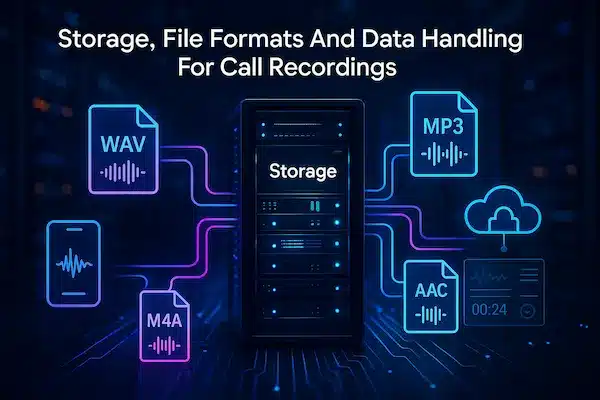
Table 1 – Call Recording Formats And Typical Use
| Format | Quality level | File size per minute | Best use case |
|---|---|---|---|
| AMR | Basic | Very small | Simple proof of calls |
| AAC | Good | Small to medium | Daily business and support calls |
| MP3 | Good and compatible | Medium | Sharing and cross platform playback |
| WAV | Very high | Large | Short, critical calls where detail matters |
7. Legal, Ethical And Privacy Rules For Call Recording
Knowing how call recording works on smartphones is not enough. The real question is when you are allowed to use it and how to stay fair with the people on the call.
1. One Party And Two Party Consent Countries
Across the world there are two main models:
- One party consent – only one person on the call needs to know and agree, which can be you
- Two party or all party consent – everyone on the call must know and agree
You always need to check which model applies where you live and where the other person is.
2. Recording Business Calls Versus Private Calls
Business recording is often easier to justify, but still needs rules:
- Company phones and lines should have clear written policy
- Staff and callers should know calls may be recorded
- Scripts or audio notices can give short, clear warnings
For private calls, the bar is higher. You cannot just hide behind the fact that how call recording works on smartphones makes it technically easy.
3. Data Protection, Retention And Security For Recordings
Once you store call audio, you are responsible for it:
- Collect only calls you really need to keep
- Set a clear retention period and delete old files
- Restrict access to a small number of trusted people
- Protect accounts and storage with strong passwords and, if possible, two factor login
Good data handling often matters as much as the recording itself.
4. Illegal Or Unethical Uses You Must Avoid
Some patterns are almost always wrong:
- Secretly recording a partner, friend or colleague for control or revenge
- Recording minors without any safety or legal basis
- Sharing or posting recordings without permission
If you would be afraid to show a lawyer, a regulator or the other person how you are using call recording, that is a strong signal you should not be using it that way.
8. Practical Benefits And Real Risks Of Call Recording
Once you understand how call recording works on smartphones, you still have to decide when it actually helps and when it quietly makes things worse.
1. Where Call Recording Really Helps
Used with clear rules and consent, call recording can:
- Capture details from complex client or support calls
- Give real examples for training and quality reviews
- Provide evidence in genuine disputes or harassment cases
- Support lone or field workers by documenting risky situations
2. Where Call Recording Damages Trust
Used in secret, even good technology backfires:
- People feel watched instead of supported
- Teams become careful and defensive on every call
- Families and friends can lose trust if recordings are discovered later
The problem is rarely how call recording works on smartphones at a technical level. It is how honest you are about using it.
Table 2 – Benefits, Risks And Simple Mitigation
| Scenario | Main benefit | Main risk | Mitigation tip |
|---|---|---|---|
| Freelancer client calls | Clear record of agreements | Client feels tricked if uninformed | Mention recording in contract or at call start |
| Support or sales teams | Training and quality improvement | Staff feel over monitored | Add to policy, record samples, not every call |
| Company compliance calls | Evidence for audits and disputes | Sensitive data stored too long | Set retention limits and strict access control |
| Personal relationships | Short term leverage in arguments | Long term loss of trust and privacy | Avoid recording, use written notes or mediation |
9. Step By Step – How To Enable And Test Call Recording Safely
Knowing how call recording works on smartphones is useful, but the setup decides whether it becomes a safety tool or a trust and legal problem. Use this simple checklist before you record anything.
1. Check Laws And Platform Rules First
- Look up whether your country is one party or two party consent
- Remember that rules apply to both you and the other person on the call
- Check what your Android or iOS version allows and what your app store policies permit
If the legal side is unclear, do not move on to the technical side yet.
2. Set Clear Rules And Get Consent
- Decide which phones and which types of calls you will record
- Write simple rules about who can listen and how long you keep files
- For business use, put this in policy and caller notices
- For personal use, tell people you are recording when the law or trust requires it
If you feel you must hide recording, that is already a warning sign.
3. Enable Call Recording And Run Test Calls
- Turn on the native recorder in the dialer if your phone has one, or install a trusted app
- Make a short test call and play back the file
- Check that both sides are clear, the volume is usable and the time or contact info is correct
This simple test shows how call recording works on your smartphone in practice, not just in theory.
4. Review Storage, Retention And Access
- Choose a safe storage location and, if needed, a cloud option with strong login
- Set a realistic retention period and delete old recordings automatically
- Limit access to a small number of people and protect accounts with strong passwords and, if possible, two factor login
Review these settings at least once or twice a year so your call recording setup stays aligned with your current risks and responsibilities.
10. Troubleshooting Call Recording On Smartphones
Even if you understand how call recording works on smartphones, real tests can fail. Here is a short checklist for the most common problems.
1. No Audio Or Only One Side Recorded
- App using the wrong audio source
- Android version blocking access to the voice call stream
- iPhone apps unable to tap native in call audio
Fix: switch audio source in app settings, update the app, and on iPhone use three way calling or the app’s own recording feature instead of a generic recorder.
2. Low Volume, Echo Or Bad Quality
- App records only the mic while you use the earpiece
- Noisy environment, phone too far from your mouth
- Speakerphone or Bluetooth adding echo
Fix: test one call on speakerphone, move to a quieter place and try again with built in audio instead of Bluetooth.
3. Missing Files Or App Crashes
- Storage is almost full
- App lacks storage permission
- Battery saving kills the app in the background
Fix: free space, grant storage access and exclude the recorder app from battery optimisation if your phone allows it.
4. System Or Policy Blocks
- Newer Android or Play Store rules blocking older methods
- Carrier or region disabling native recording
- iOS not supporting direct recording of cellular calls at all
Sometimes the issue is not your app but platform limits. In those cases, choose a recording method that matches how call recording works on smartphones for your exact device and operating system.
FAQs About How Call Recording Works On Smartphones
1. How does call recording work on smartphones?
Call recording works by copying the in call audio stream inside the phone’s audio system and saving it as a digital audio file.
2. Why can my phone record some calls but not others?
It depends on your phone model, OS version, app permissions and sometimes carrier or region rules.
3. Is it legal to record calls without consent?
In some countries yes, in others no, so you must check if your region uses one party or two party consent before recording.
4. Why is call recording easier on Android than on iPhone?
Many Android dialers can access the call audio stream directly, while iOS does not expose that stream to normal apps.
5. Can I record WhatsApp or other VoIP calls?
Sometimes you can, if the app has its own record feature, but many VoIP apps limit or block external recorders for privacy reasons.
6. Does call recording slow down my phone or drain battery?
A well designed recorder adds only a small load, so big slowdowns or heat usually mean the app is poorly built or doing too much.
7. How long should I keep recorded calls?
Only as long as they have a clear purpose, then delete them, and for businesses follow a written retention policy.
8. What is the safest way to use call recording for business?
Use company controlled devices, inform staff and callers, protect access to recordings and delete files on a fixed schedule.
Conclusion – Using Call Recording On Smartphones The Right Way
Call recording now sits in the middle of remote work, customer service, compliance and privacy. When you understand how call recording works on smartphones, it stops being a hidden trick and becomes a normal data tool that needs clear purpose, consent and protection.
Quick Summary Table – Scenarios, Checks And Next Steps
| Scenario | When recording makes sense | Key check | Next step |
|---|---|---|---|
| Personal work phone | You need proof of client calls | Device is yours, purpose is clear | Use a trusted app, set short retention, auto delete |
| Freelancer or consultant | You work from verbal briefs | Client is informed and agrees | Mention recording in contract or at call start |
| Support or sales team | You need calls for training and QA | Staff and callers are notified | Add to policy, sample calls not every call |
| Compliance heavy business | You face audits or disputes | Laws and retention limits followed | Get legal input, lock down access and retention |
| Lone or field workers | You need extra safety in risky situations | Safety need is documented | Record only work devices, encrypt and restrict |
| Family or personal use | Important agreements you might forget | Trust and local law respected | Use rarely, explain clearly, prefer written notes |
If you cannot explain your setup in one simple sentence to the other person, pause and redesign how you use call recording on smartphones.
Build A Transparent Setup With PhoneTracker247
If you want how call recording works on smartphones to support safety and not spying, you need tools that fit clear rules. PhoneTracker247 is designed for transparent, consent based monitoring on devices you own or manage, so you can:
- Combine call related visibility with wider digital safety for families and teams
- Limit tracking to company or family phones you are truly responsible for
- Apply real world settings for access, retention and privacy instead of vague defaults
Define your goal, list the phones you really control, decide what you will and will not record, then use PhoneTracker247 as the backbone of a responsible call visibility and digital safety plan.
For daily updates, subscribe to PhoneTracker’s blog!
We may also be found on Facebook!