
Modern risks are unpredictable
Daily routines look normal on the surface, but unpredictability comes from small changes. A delayed bus, a wrong turn, or a drained battery can quickly create confusion.
Families don’t need minute-by-minute updates. They need awareness when a routine suddenly changes.
In crowded cities and busy schedules, silence often causes more anxiety than information. A family safety app turns unknown situations into understandable ones.
Everyday Safety Concerns
Many concerns repeat across households:
- A child forgets to message after school
- A phone stays offline longer than expected
- Someone misses a familiar route
- A call goes unanswered late at night
None of these automatically indicate danger. Yet each one triggers worry because there is no context.
A family safety app replaces guessing with confirmation. Instead of imagining scenarios, families see simple explanations — still traveling, safely arrived, or temporarily disconnected.
Emotional Security for Families
When families stop checking constantly, communication becomes calmer. People speak because they want to talk, not because they need reassurance.
Parents feel less pressure to call repeatedly. Teenagers feel trusted rather than monitored. Older adults feel supported rather than supervised.
Over time, a family safety app changes behavior: fewer interruptions, fewer assumptions, and more confidence in everyday life.
Table 1: Family Safety App Features (What They Do + Best Use Case)
| Feature | What it does | Best for | Setup tip (to avoid problems) | Privacy note |
|---|---|---|---|---|
| Live location sharing | Shows real-time or near real-time location on a map | Daily safety, pickups, meetups | Use “Always” location permission + allow background refresh | Share with trusted circle only; allow easy pause/stop |
| Location history (timeline) | Saves past locations for a period (hours/days) | Lost phone, routine verification (school/work commute) | Keep battery optimization off for the app | Limit retention; avoid unnecessary long-term logs |
| Geofences / safe zones | Alerts when someone enters/leaves places (home/school) | Kids’ arrivals, elderly care | Start with 2–3 zones to reduce false alerts | Use minimal zones; don’t over-monitor |
| Check-ins | One-tap “I’m safe” or custom status | Teens, travel, late-night commutes | Agree on simple check-in rules (e.g., after arriving) | Lower-intrusion alternative to constant tracking |
| SOS / emergency alert | Sends emergency signal + location to family | Emergencies, walking home alone | Test monthly; confirm contacts receive alerts | Make sure recipients are correct; avoid “always-on panic” |
| Battery status | Shows device battery level | Preventing dead-phone anxiety | Set “low battery” alerts only | Battery status can reveal routine—share sparingly |
| Driving safety / speed alerts | Detects driving, speed, hard braking (varies by app) | New drivers, family driving habits | Turn on only for drivers; tune thresholds | Avoid using as punishment; use for coaching |
| Screen time limits | Limits app usage/time windows | Younger kids, bedtime routines | Start with schedules (sleep/school) before strict caps | Explain “why” and keep rules transparent |
| Content filtering (web/apps) | Blocks adult content, risky sites, or apps | Kids’ safer browsing | Use age-based profiles; whitelist school tools | Filtering ≠ spying; avoid reading private messages |
| App install alerts | Notifies when new apps are installed | Scam prevention | Pair with “ask before install” rule | Focus on safety, not surveillance |
| Contact / scam alerts (where available) | Flags suspicious numbers/links | Anti-scam, cyber safety | Teach “don’t click unknown links” alongside | Don’t claim it catches everything—still educate |
| Family “circle” management | Adds/removes members and permissions | All families | Assign roles: parent/admin vs member | Least-privilege: only needed permissions |
Quick Setup: Activate Family Protection in Minutes
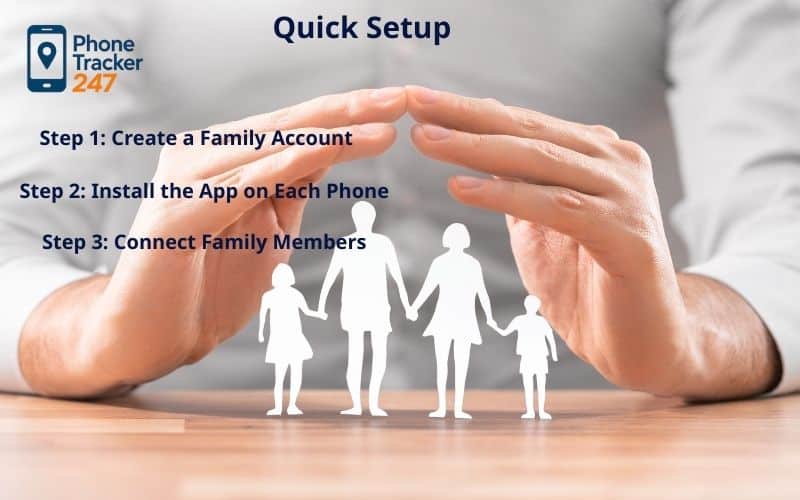
Starting protection should feel easier than worrying. Most families finish setup in about ten minutes.
Step 0: Legal & Consent First
PhoneTracker247 app is for monitoring devices you own or are authorized to manage (e.g., a child’s phone or a company-owned device) with clear consent and in compliance with applicable laws and policies. Document permissions upfront—this protects everyone and aligns with 2026 privacy rules.
Step 1: Create a Secure Family Space
– Sign up with your email or your phone number.
– Open the verification link to activate secure access. Verified accounts prevent unauthorized access before you start to track cell phone online.
Step 2: Install the Safety App on Each Device
- Go to PhoneTracker247 Download Center to Download PhoneTracker247 app APK file: https://download.phonetracker247.com/
- Install PhoneTracker247 app on the target device Open the APK file -> Tap Install -> Wait for the installation to complete -> Tap Open
These permissions allow the family safety app to work quietly without requiring manual updates.
Step 3: Connect Members
- Sign in to your dashboard: https://dashboard.phonetracker247.com/sign-in/
- Tap Pair New Device -> then Click Let’s Get Started to connect a new device
- Follow the on-screen steps. In the final step, enter the code and click Pair Now to finish.
Everyone sees the connection, so participation stays transparent. The family safety app works best when everyone understands they are part of the system.
Step 4: Personal Privacy Controls
Each member can pause sharing anytime. Visibility remains adjustable for comfort.
Control builds trust. A family safety app should always feel voluntary, never forced.
How the Family Safety App Protects Without Intrusion
Protection works only if it stays invisible during normal life.
Intelligent Location Awareness
Phones combine satellite positioning and nearby network signals. Outdoors, movement stays precise. Indoors, stability remains reliable.
Switching methods automatically prevents sudden jumps or gaps. The family safety app remains dependable across schools, malls, and apartments.
Behavior-Based Detection
The system observes patterns rather than every step. Frequent updates appear only while traveling.
When still, updates slow down automatically. This keeps the family safety app active all day without noticeable battery drain.
Permission-First Visibility
Everyone knows who can see information and when sharing is active. Roles prevent accidental changes.
Transparency reduces suspicion. A family safety app works only when all participants feel respected.
Offline & Last Known Safety
If a phone loses signal, the last known position remains visible. Once reconnected, recent activity restores automatically.
Instead of disappearing, context stays available. The family safety app maintains reassurance even during temporary disconnections.

Real-Life Safety Scenarios
Protection matters most during ordinary moments, not emergencies.
1. Child Daily Safety
Children move between school, friends, and activities. Messages are often forgotten during busy days.
Arrival alerts confirm routine events automatically. A family safety app allows parents to relax without repeated reminders.
2. Teen Freedom with Protection
Teenagers need independence but still benefit from backup safety. Constant texting often creates tension.
Optional sharing removes pressure while maintaining reassurance. The family safety app supports responsibility without surveillance.
3. Elderly Monitoring
Older adults value autonomy but may occasionally become disoriented. Immediate detection matters more than constant observation.
Gentle alerts provide early awareness. A family safety app enables assistance without limiting freedom.
4. Travel & Public Places
Crowded environments increase confusion. Meeting points often change unexpectedly.
Temporary sharing helps regroup quickly. The family safety app keeps coordination simple during complex situations.

Healthy & Responsible Safety Use
Protection must always respect privacy.
Mutual Awareness
Every participant understands what information is shared. Clear explanation prevents misunderstanding.
The purpose stays safety-focused, never disciplinary. A family safety app functions best as a cooperative agreement.
Agreed Safety Boundaries
Families define when sharing matters:
- Commutes
- School hours
- Travel days
Predictable rules avoid tension. The family safety app becomes part of routine rather than constant monitoring.
Minimal Necessary Data
Only relevant activity should be stored. Long histories rarely improve safety.
Automatic deletion keeps information limited. A family safety app protects without creating unnecessary records.
Control & Access Rights
Members can view, export, or remove their data. Devices can leave anytime.
Control reinforces trust. A family safety app must empower the people it protects.
Family Safety Agreement
A simple shared understanding works best:
- Used for safety, not discipline
- Alerts replace repeated calls
- Privacy pauses always respected
When expectations are clear, the family safety app strengthens relationships instead of straining them.
Unsafe Uses to Avoid
Never use safety tools secretly. Hidden tracking damages trust permanently.
Location should never be shared outside the family group. A family safety app depends on consent to remain healthy.
Safety apps should provide reassurance, not surveillance.
Real-time location works best when families understand what data is visible and when it updates.
Here is a clear explanation of how live location sharing functions: Family locator app
Why Families Choose PhoneTracker247 as a Family Safety App
Families adopt safety tools only when they feel natural in daily life.
Preventive Alerts, Not Surveillance
Notifications appear only for meaningful changes. No constant checking required.
This keeps the family safety app supportive rather than stressful.
Reliable Without Draining Battery
Adaptive updates reduce power usage during inactivity. Phones last the entire day.
The family safety app works continuously without becoming noticeable.
Clear Privacy Transparency
Visible sharing status prevents confusion. Everyone knows when protection is active.
Trust grows because the family safety app stays predictable.
Quick Setup for All Ages
Simple steps allow children and grandparents to join easily. No technical knowledge required.
A family safety app should feel accessible to every generation.
Works Even Without Connection
Temporary signal loss keeps last known context visible. Updates restore automatically afterward.
Families remain reassured because the family safety app never leaves them guessing.
Adapts to Growing Families
From two members to extended relatives, settings remain manageable. Roles keep organization clear.
The family safety app evolves naturally with household needs.
Start Protecting Your Family Today
Daily life will always include uncertainty, but awareness transforms worry into calm understanding. A well-designed family safety app does not interrupt routines — it quietly supports them.
Key benefits
- Meaningful alerts instead of constant checking
- Clear privacy controls for every member
- Reliable updates without battery drain
- Fast setup on iOS and Android
For coordination features, families sometimes also use a family locator app during travel planning. But long-term reassurance comes from consistent protection rather than temporary location checks.
Conclusion Quick Summary: Family Safety App Best Practices
| Quick takeaway | Best practice | What to avoid |
|---|---|---|
| Safety first | Use SOS + check-ins + limited location sharing for real safety moments. | Always-on tracking “just because.” |
| Consent is non-negotiable | Keep it visible, agreed, and easy to pause/stop. | Hidden installs, “undetectable mode,” secret monitoring. |
| Less data = less risk | Keep location history off (or short retention) and limit alerts to essentials. | Long-term logs + notification overload. |
| Reliability matters | Allow proper permissions, background updates, and reduce battery restrictions. | Ignoring settings, then blaming “GPS not updating.” |
| Healthy family use | Set a simple family safety agreement and review monthly. | Using tracking as punishment or control. |
PhoneTracker247 is built around that idea: safety that works in the background so conversations can stay about life, not logistics.
Follow the PhoneTracker247 News for safety tips and updates, and stay connected through our social channels to learn how families in 2026 keep each other protected — calmly, respectfully, and confidently.
FAQs – Best Family Safety App 2026
1. What does a family safety app do?
It helps families coordinate safety with location sharing, check-ins, and SOS alerts—without needing constant calls or texts.
2. Is using a family safety app legal?
Yes when used with clear consent (especially for adults) and on devices you own/manage; secret tracking can be illegal.
3. What are the “must-have” features?
SOS alert, reliable location (live or last-known), and simple check-ins are the core essentials.
4. How often does “live location” update?
It varies by signal and settings—updates can be seconds to minutes apart, and may pause to save battery.
5. Why is location sometimes wrong or delayed?
Weak GPS/Wi-Fi, battery restrictions, disabled background access, or low power mode commonly cause drift and delays.
6. Do family safety apps drain battery?
They can—battery use increases with frequent GPS updates and always-on background tracking.
7. Can we use it without 24/7 tracking?
Yes—many families share only during commutes, late nights, trips, or emergencies, and rely on check-ins the rest of the time.
8. What data do these apps usually collect?
Typically location, device/app identifiers, and alert logs; some also store location history if you enable it.
9. How do I tell a legit safety app from spyware?
Legit apps are visible, consent-based, and easy to pause/stop/uninstall; spyware pushes “hidden mode” and invasive access.
10. What’s a teen-friendly way to use a family safety app?
Use a simple agreement: when sharing is on, what alerts are active, and when privacy pauses—safety first, not surveillance.


