
Everyday Situations It Solves
Small daily moments create most stress, not emergencies.
• Child arrives home but forgets to text
• Partner stuck in traffic without checking phone
• Teen returns late from school activity
• Elderly family member travels alone
Instead of asking questions, the map answers them automatically.
Emotional Benefits
Location visibility changes how families communicate. Conversations become calmer because assumptions disappear. People stop imagining worst-case scenarios.
Confidence replaces checking behavior.
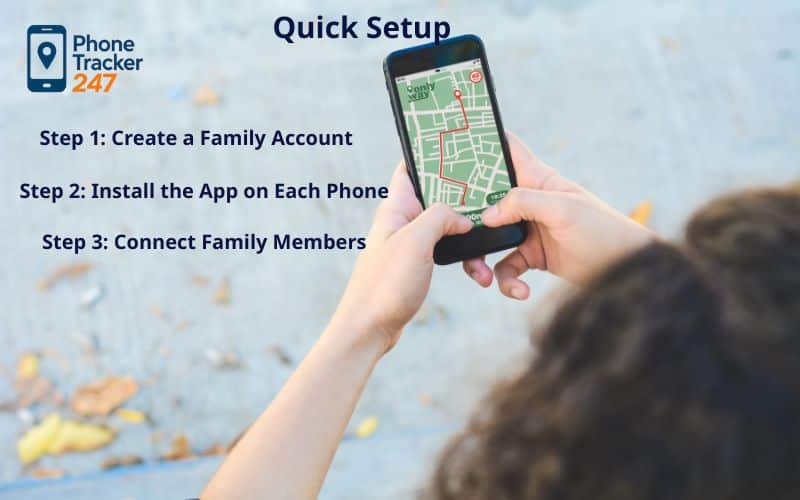
Quick Setup: Start Using the Family Locator App in Minutes
Getting started should feel simple. PhoneTracker247 is designed so families can begin sharing location quickly, without technical steps or complicated configuration. Most households finish setup in about 10–15 minutes.
Step 1: Create a Family Account on PhoneTracker247
Sign up using your email and confirm it through the verification message.
This activates secure access and ensures only invited members can join your private family group.
Sign Up at: https://dashboard.phonetracker247.com/sign-up/
Step 2: Download and Install the App on Each Phone
Download PhoneTracker247 on every family member’s device.
1. Go to PhoneTracker247 Download Center to Download PhoneTracker247 app APK file: https://download.phonetracker247.com/
2. Install PhoneTracker247 app on the target device
These permissions allow the Family locator app to update location smoothly throughout the day.
Step 3: Connect Family Members
- Sign in to your dashboard: https://dashboard.phonetracker247.com/sign-in/
- Tap Pair New Device -> then Click Let’s Get Started to connect a new device
-
Follow the on-screen steps. In the final step, enter the code and click Pair Now to finish.
Step 4: Confirm Real-Time Updates
Open the map and check that movement updates while walking or traveling. You should see location refresh naturally without manual reload.
Step 5: Create Safe Places
Add important locations such as home, school, or workplace.
The app will notify selected members when someone arrives or leaves.
Step 6: Test Alerts
Trigger a sample notification by entering or exiting a saved place.
This confirms alerts work properly before daily use.
Step 7: Adjust Privacy Preferences
Each member can pause sharing or limit visibility whenever needed.
The Family locator app works best when everyone understands their control options from the start.
How PhoneTracker247 Handles Family Location Safely
A good Family locator app isn’t just about showing a dot on a map. It has to be accurate enough to trust, light enough to run all day, and private enough that everyone feels comfortable using it. PhoneTracker247 is designed to keep those three elements balanced so location sharing feels helpful instead of intrusive.
Multiple Signals Working Together
Phones don’t rely on a single positioning method. Outdoor movement is identified through satellite positioning, while indoor areas depend more on nearby networks and environmental signals.
By switching intelligently between sources, the location stays stable in schools, offices, malls, and residential buildings without constant refreshing.
Movement-Based Updates
The system reacts to behavior rather than running continuously at maximum speed. While someone is traveling, updates appear more frequently so progress can be followed naturally.
Once the person stops moving, the refresh rate slows down automatically, allowing the Family locator app to stay active throughout the day without noticeable battery drain.
Clear Control and Protection
All shared information is secured during transfer and storage. Every member can see when sharing is active and can disable it at any moment.
Different access roles also prevent unwanted changes, keeping visibility organized and transparent for the whole family.
Temporary Disconnections and Stored Activity
If a phone loses signal, the last available position remains visible instead of disappearing. After reconnection, recent movement updates automatically restore.
Saved activity remains limited and adjustable, giving families helpful context without keeping long-term records they don’t need.
Family Locator App: Which Features Solve Which Real-Life Needs?
A family locator app only works if it matches your real-life needs.
| Family need | Feature(s) to look for | Why it matters | Quick way to verify | Common mistake to avoid |
|---|---|---|---|---|
| “I need to know where they are right now.” | Live location (near real-time updates) + location history | Reduces panic, supports pickups, confirms routes | Compare on-map movement to real movement during a 10–15 minute trip | “Live” that only refreshes manually or updates every 5–15 minutes |
| “Tell me automatically when they arrive/leave.” | Geofences (Home/School safe zones) + entry/exit alerts | Automates check-ins and reduces calling/texting | Create 2 zones, cross the boundary 3 times each | Zones too small/too large causing constant false alerts |
| “If something goes wrong, we need help fast.” | SOS button + instant location share + emergency contacts | Speeds response during emergencies | Run a family SOS drill: tap SOS and confirm receipt within 30 seconds | SOS that doesn’t send location, doesn’t log, or relies on one app screen only |
| “Phones die and we lose tracking at the worst time.” | Low-battery alerts + background efficiency | Low battery = lost visibility | Track battery drain for one normal day (with vs without the app) | App drains battery aggressively or overheats the phone |
| “We manage multiple family members.” | Group sharing + multi-device support + clear permissions | Less friction, better coordination | Add 3–5 members and test who can see whom | Confusing sharing permissions, hard to pause/stop sharing |
| “We want safety—without turning into surveillance.” | Consent-first design + privacy controls + clear data settings | Prevents conflict and keeps use lawful/ethical | Review permissions: does it ask only for location, or also unrelated access? | Apps asking for unnecessary sensitive permissions “just because” |
| “We may need a record for disputes/incidents.” | Exportable location history + timestamps | Creates a reliable timeline | Export a 24-hour/7-day report and check timestamps | No export option or missing time markers |
| “We’re often in weak signal areas.” | Last-known location + ‘last updated’ timestamp | Prevents false confidence | Turn off data for 5 minutes, then turn it back on | App hides the update time so you can’t tell if it’s stale |
| “We’re a mixed iOS + Android family.” | Cross-platform support + feature parity | Avoids “one parent has features, the other doesn’t” | Confirm the same core features work on both OS | iOS/Android feature gaps that break the family workflow |

Real-Life Uses & Practical Benefits
Families share location for many reasons, but the objective is always similar: understand what’s happening without interrupting someone’s day. A Family locator app works best when there is a clear purpose, agreed boundaries, and automation handling the routine updates in the background.
1. Daily Family Coordination
Used as a gentle check-in rather than supervision.
- Arrival alerts: notifications for home, school, or activities
- Quiet hours: fewer alerts at night or during class time
- Daily timeline: confirm pickups and drop-offs quickly
- Shared expectations: everyone understands when sharing matters
2. Teen Independence
Helps teenagers gain freedom while reassuring parents.
- No hourly texting required
- Location visible only when needed
- Optional pause during private moments
- Trust grows with consistent responsibility
Result: more independence for teens and less worry for parents.
3. Elderly & Care Support
Adds safety without limiting autonomy.
- Trusted viewers for caregivers or relatives
- Gentle alerts when leaving familiar areas
- Last known position if connection drops
- Temporary sharing during appointments
Result: quicker assistance and less stress for everyone involved.
4. Trips & Gatherings
Useful for travel days and crowded events.
- Temporary meet-up places
- Short-term sharing links
- Easy regrouping in busy locations
- Stops sharing automatically after the plan ends
Result: smoother coordination and fewer missed connections.
Everyday Scenario Overview
| Situation | Key Setting | Helpful Alert | What Improves |
| Family routines | Precise location + quiet hours | Home/School arrival | Less checking-in |
| Teen schedules | Optional sharing | Late arrival notice | More trust |
| Elder care | Safe zones | Leave-area alert | Faster help |
| Travel plans | Temporary places | Meet-point alerts | Easier regrouping |
A Family locator app becomes valuable not because it shows constant movement, but because it reduces uncertainty at the right moments.
Responsible Use & Privacy Principles
Location sharing involves personal information, so clarity and agreement always come first. A Family locator app should never feel secretive — everyone included needs to understand what is shared, when it is shared, and why it exists.
1. Clear Permission
Tell family members before activating sharing.
Explain the type of information visible (location and time) and its purpose.
- Keep agreement simple and understandable
- Parents approve sharing for younger children
- Anyone can pause or stop sharing whenever needed
2. Defined Purpose & Schedule
Use location only for real coordination needs.
- School, commuting, and meeting confirmations
- Agreed time windows rather than 24/7 monitoring
- Never enable hidden tracking
Transparency prevents misunderstandings.
3. Minimal Data Collection
Collect only what is necessary for reassurance.
- Event-based updates instead of constant polling
- Short history storage periods
- Automatic deletion after the selected time
This keeps the Family locator app helpful instead of intrusive.
4. Access & Control
People should control their own information.
- View or download personal history
- Remove devices at any time
- Role-based visibility (owner / member / viewer)
Trust increases when access is predictable.
5. Family Agreement Example
A simple shared understanding works best:
- Used for safety, not discipline
- Arrival notifications instead of constant checking
- Privacy pause always respected
- Review rules occasionally as routines change
6. Uses to Avoid
Some behaviors should never happen:
- Secret monitoring
- Tracking outside agreed times
- Sharing location with outsiders
A Family locator app supports relationships only when participation is voluntary.

Why Families Choose PhoneTracker247 App
If location sharing is going to be part of daily life, it should feel calm, clear, and respectful, not technical or overwhelming.
Balanced Accuracy and Battery
The system updates more frequently while moving and slows down when still.
You see relevant movement without noticeable battery drain.
Privacy-Centered Design
Encrypted connections, visible sharing status, and adjustable history ensure people remain informed rather than observed.
Fast, Simple Start
Create an account, install the app, invite members, and add places.
Most families begin using it in minutes.
Meaningful Notifications
Instead of constant map checking, the app highlights important moments — arrivals, departures, and schedule confirmations.
Reliable Even Offline
If a phone temporarily disconnects, the last known position remains visible and updates automatically once reconnected.
Grows With Your Household
From one child’s device to multiple relatives, settings remain easy to manage without complexity.
Start free today and use a Family locator app built around consent, clarity, and everyday convenience.
To better understand how the live map determines position in real time and why updates remain accurate without draining battery, you can read our detailed explanation of live GPS tracking here:
See more: Track Phone Location – Real-Time, Private, Legal (2026 Guide)

FAQs – Family Locator App Accuracy
1. What is a Family Locator App?
An app that lets trusted family members share location, see recent history, and get safety alerts like geofences or SOS.
2. How does a Family Locator App work?
It uses GPS + Wi-Fi + cell signals, then updates a shared map based on your phone’s location permissions and background access.
3. Are Family Locator Apps accurate?
Usually most accurate outdoors; accuracy can drop indoors, underground, or in dense city areas.
4. What does “real-time location” really mean?
It means frequent updates—not instant. Update delay depends on settings, signal, and battery restrictions.
5. Why is location not updating?
Common reasons: battery saver on, background app limits, location permission not set to “Always,” weak data/GPS.
6. Do Family Locator Apps drain battery?
They can. Higher update frequency and constant GPS use typically increase battery drain.
7. What is geofencing?
A virtual boundary (Home/School). The app alerts you when a device enters or leaves that zone.
8. How does SOS work?
It sends an emergency alert to chosen contacts and shares the sender’s current location (often with a map link).
9. Can it work without internet or if the phone is off?
If the phone is off, it can’t update. Without internet, you may only see the last known location and timestamp.
10. How do I choose the right Family Locator App?
Pick based on your main goal (pickup, safe arrivals, SOS), then test: update delay, geofence reliability, SOS delivery, battery impact, and privacy controls.
Start Using the Family Locator App Today
Stay connected the simple way with PhoneTracker247, real-time updates, place alerts, and shared history ready in minutes.
Privacy-aware sharing with clear visibility
Accurate updates without heavy battery use
Quick setup on iOS & Android (about 10–15 minutes)
Flexible roles, history settings, and easy data access
Want tips and updates? Follow the Phone Tracker blog.
You can also find Phone Tracker on Facebook and stay connected with us there.


