Parents who want to choose parental phone tracker apps in 2026 are often overwhelmed by similar-looking promises of “complete protection”. Your child’s phone is where they learn, talk to friends, and explore, so you need a tool that adds safety without turning parenting into spying.
This guide shows you, step by step, how to choose parental phone tracker solutions that match your family’s real risks, respect privacy, and support trust between you and your child.
Contents
- 1 1. How to Choose the Right Parental Phone Tracker in 60 Seconds
- 2 2. How to Choose a Parental Phone Tracker in 2026
- 3 3. What Is a Parental Phone Tracker App and Why Parents Use It in 2026?
- 4 4. 2026 Updates: New Rules and Trends for Parental Phone Tracker Apps
- 5 5. Is It Legal, Safe, and Ethical to Use a Parental Phone Tracker?
- 6 6. Why You Must Choose Carefully (Risks of the Wrong App)
- 7 7. Expert Buyer’s Guide: Key Criteria to Choose the Best Parental Phone Tracker App
- 8 8. Types of Parental Phone Tracker Solutions Parents Can Choose From
- 9 9. 2026 Comparison Table: Example Parental Phone Tracker Setups
- 10 10. How to Choose for Different Ages and Family Situations
- 11 11. Step by Step: How to Choose, Install, and Set Up a Tracker
- 12 12. Common Mistakes Parents Make
- 13 13. Real-Life Scenarios: Matching Features to Needs
- 14 14. Data Privacy, Cybersecurity, and Responsible Use
- 15 15. Expert Insights: How Professionals Evaluate Tracker Apps
- 16 16. People Also Ask: Short Answers
- 17 FAQs: Parental Phone Trackers – Short Answers for Busy Parents
- 18 17. Key Terms Parents Should Know
- 19 Conclusion: Choosing a Parental Phone Tracker With Confidence
1. How to Choose the Right Parental Phone Tracker in 60 Seconds
If you only have a minute, here’s the short answer.
To choose the right parental phone tracker, focus on:
- Does it work reliably on your child’s devices (iOS / Android)?
- Does it give clear, real-time location and simple alerts?
- Does it support healthy phone use, not just tracking?
- Does it respect your child’s privacy and protect their data?
- Is the price transparent, with a free trial to test?
If an app can’t tick those boxes, it’s probably not the best choice when you choose a parental phone tracker for long-term use.
1. Quick Checklist: The Ideal Parental Phone Tracker App
Look for a tracker that offers:
- Reliable real-time GPS + location history
- Geofencing and smart alerts (home, school, activities)
- Screen time limits and basic app / web control
- Simple setup and an easy dashboard for parents
- Strong privacy, encryption, and clear data policies
- Honest pricing with no hidden fees
This is your “at-a-glance” filter when comparing apps.
2. 3 Decisions Before You Choose a Parental Phone Tracker
Before installing anything, decide:
- What are your main risks?
Getting lost, strangers online, bullying, late-night use? Your top risks should guide which parental phone tracker you choose. - How much monitoring feels fair?
Will you focus on location and screen time only, or also app usage? Set your own limits so protection doesn’t become control. - How will you explain it to your child?
A short, honest talk (“this is about safety, not spying”) turns the tracker into part of a shared safety plan, not a secret weapon.
With these answers clear, you’re ready to choose a parental phone tracker that fits your family instead of just installing “one more app.”
2. How to Choose a Parental Phone Tracker in 2026
In 2026, the fastest way to choose parental phone tracker tools is to keep it simple: safety, privacy, and ease of use. Pick an app you can install in minutes, that shows clear live location and basic phone activity, and that fits the way your family talks about rules and trust. If you choose a parental phone tracker only because it looks fancy or cheap, you’ll probably end up changing it again later.
1. The Short Answer: What Really Matters
- Does it solve your real problems (safety, screen time, bullying, strangers online)?
- Can you understand its alerts and reports without being a tech expert?
- Does the app help you talk with your child, not against them?
If an app makes you more anxious or pushes you to secretly spy, it’s not the right choice when you choose parental phone tracker support for your home.
2. Key Features to Look For
At minimum, when you choose parental phone tracker apps, look for:
- Real-time GPS + recent location history
- Geofencing and arrival / departure alerts
- Basic screen time and app controls
- Clear, human-readable reports
- A privacy policy you can actually understand
These basics make it much easier to choose parental phone tracker tools that stay useful over years, not just in the first week.
3. What Is a Parental Phone Tracker App and Why Parents Use It in 2026?
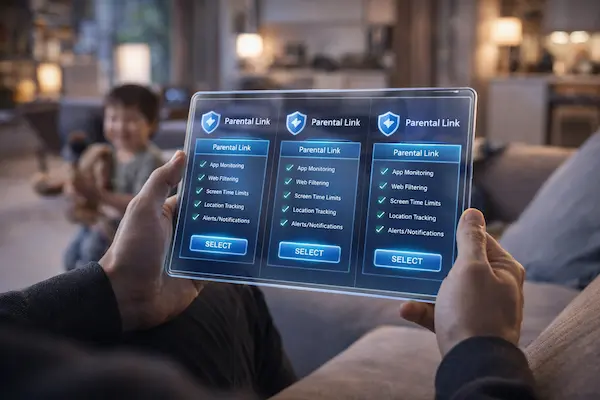
A parental phone tracker is an app that shows you where your child’s phone is and how it’s being used. In 2026, parents choose parental phone tracker tools not because they’re paranoid, but because kids are more independent and this data helps adults react quickly and make better decisions.
1. How These Apps Work
Most parental phone tracker apps:
- Run quietly in the background on your child’s device
- Send location and usage data to a secure online dashboard
- Let you set rules: time limits, blocked apps, safe zones
- Notify you when rules are broken or something unusual happens
Knowing this basic flow will help you choose parental phone tracker solutions that work with your devices and your level of tech comfort.
2. Why Families Prefer Trackers Over “Just Talking”
Talking is essential, nhưng thực tế là:
- Bạn không thể lúc nào cũng ở cạnh con.
- Con không phải lúc nào cũng kể hết mọi chuyện.
A well-chosen tracker fills the gap. When you choose parental phone tracker apps that respect privacy and support dialogue, you can combine honest conversation with quiet, consistent oversight.

4. 2026 Updates: New Rules and Trends for Parental Phone Tracker Apps
In 2026, app stores and regulators are much stricter about tracking and monitoring tools. If you choose parental phone tracker apps without checking how up to date they are, you risk using something that breaks new rules or could be removed from the store with little warning.
1. App Store and OS Changes
Recent years brought:
- Stricter rules on apps that monitor other people’s devices
- Clearer consent flows on iOS and Android
- More audits around how child data is stored and shared
Before you choose parental phone tracker apps, check when they were last updated and whether they mention compliance with the latest OS and store policies.
2. Trends: AI and Digital Wellbeing
Modern apps now add:
- AI-based alerts for risky conversations or content
- Smarter detection of unusual patterns (late-night spikes, sudden app changes)
- Integrated wellbeing dashboards for sleep, focus, and screen time
You don’t need every buzzword, but when you choose parental phone tracker tools, it makes sense to prefer solutions that actively evolve with these trends.
5. Is It Legal, Safe, and Ethical to Use a Parental Phone Tracker?
Legality and ethics are not optional topics anymore. When you choose parental phone tracker apps, you are also choosing how your family handles privacy.
1. Law and Consent
In many places, parents can legally supervise a minor’s device, but:
- Some regions require clear consent from older teens
- Schools and shared devices may have different rules
- Secret tracking of adults can be illegal
If you choose parental phone tracker tools, always use them in line with local law and your own moral compass.
2. Ethics and Trust
An app might be legal but still harmful if:
- You install it in secret
- You read every single message without context
- You use it to win arguments instead of solve problems
The healthiest way to choose parental phone tracker tools is to see them as part of a shared safety plan, not a weapon in family conflicts.
6. Why You Must Choose Carefully (Risks of the Wrong App)
Not all trackers are equal. Some can do more harm than good.
- Poor apps can leak sensitive data
- Overcomplicated apps never get used
- Aggressive apps damage trust with your child
When you choose parental phone tracker apps purely on price or hype, you risk falling into these traps.
Common Risks
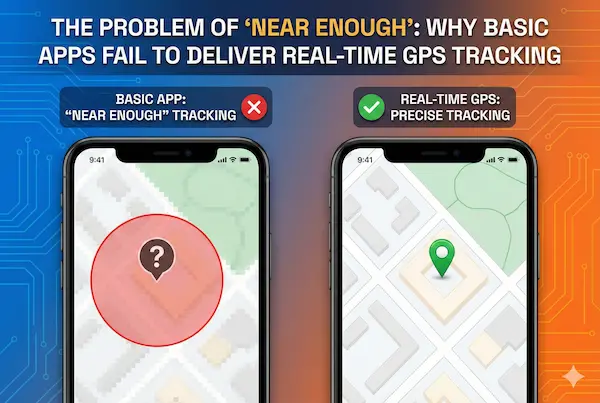
- Fake real-time tracking: big delays, frozen pins
- Hidden fees: important features locked behind unexpected paywalls
- Weak security: no clear info on encryption or data storage
A few checks before you choose parental phone tracker software can save you from headaches later.

7. Expert Buyer’s Guide: Key Criteria to Choose the Best Parental Phone Tracker App
Here’s a structured way to choose parental phone tracker apps like an expert, not a guesser.
Core Criteria
- Device compatibility
- Safety and wellbeing features
- Data protection and transparency
- Ease of use for non-technical parents
- Support, reviews, and long-term stability
Table 1 : Criteria vs Questions
| Criteria | Key Question to Ask Before You Choose Parental Phone Tracker |
|---|---|
| Compatibility | Does it fully support all our kids’ devices and OS versions? |
| Location & Geofencing | Can I see real-time location and get reliable zone alerts? |
| Screen Time & App Control | Can I set clear limits without breaking the device? |
| Privacy & Security | Is data encrypted and can I delete it if we stop using it? |
| Ease of Use | Can I understand the dashboard in under 5 minutes? |
| Pricing & Trials | Do we know the real monthly cost before entering card info? |
| Support & Reputation | Are there real reviews and responsive support channels? |
Use this table when you choose parental phone tracker options, so you don’t get distracted by marketing slogans.
8. Types of Parental Phone Tracker Solutions Parents Can Choose From
You don’t have to choose parental phone tracker solutions from one category only. There are three main types.
1. Built-In Controls
Apple, Google, and some brands offer parental dashboards. They’re:
- Free and relatively private
- Limited in advanced monitoring
2. Dedicated Tracker Apps
Standalone apps you install on both parent and child devices:
- More features and detailed reports
- Usually subscription-based
3. Carrier and ISP Family Plans
Mobile carriers sometimes include:
- Location sharing
- Basic usage controls
Understanding these types helps you choose parental phone tracker combinations that make sense, instead of stacking redundant tools.
9. 2026 Comparison Table: Example Parental Phone Tracker Setups
Instead of naming specific brands, you can use this simple framework and then map it to the parental phone tracker apps you prefer. It helps you quickly choose parental phone tracker setups that fit your family’s reality, not just marketing claims.
| Setup Type | Best For | Strengths | Weaknesses |
|---|---|---|---|
| Built-In Only | Younger kids, simple needs | Free, simple, privacy-friendly | Limited features, weaker reports |
| Dedicated App + Built-In | Most families | Strong tracking + wellbeing + OS-level limits | Needs some setup time, subscription needed |
| Carrier Family Plan + App | Teens on data plans, busy parents | Good location + usage data in one ecosystem | Can be confusing, risk of overlapping rules |
When you choose parental phone tracker setups, start by asking which of these three patterns looks most like your household. That answer will narrow your options fast and keep you focused on tools that actually match how your family lives and communicates.
10. How to Choose for Different Ages and Family Situations
You can’t choose parental phone tracker rules for a 7-year-old the same way as for a 16-year-old.
1. Younger Kids (6–11)
- Focus on location and basic screen time
- Keep explanations simple: “This keeps us connected and safe.”
2. Preteens and Teens (12–17)
- Add social app and late-night usage monitoring
- Involve them in setting limits so they own part of the rules
3. Co-Parenting and Split Households
When you choose parental phone tracker apps across two homes:
- Use shared dashboards
- Agree on baseline rules so kids don’t feel “tracked differently” depending on the house
11. Step by Step: How to Choose, Install, and Set Up a Tracker
A clear process makes it easier to choose parental phone tracker tools calmly instead of in a panic after a problem.
- Define your main goals – write down your top 3 risks.
- Shortlist 3–5 apps that match your devices and needs.
- Compare using the criteria table above.
- Test with free trials on one child’s device first.
- Talk to your child before turning on full tracking.
- Adjust settings after a week of real-life use.
Repeat this process whenever you choose parental phone tracker alternatives or consider switching.
12. Common Mistakes Parents Make
Even loving parents can misuse good tools.
- Installing apps in secret “just to see”
- Checking every small detail every night
- Never revisiting settings as kids grow
When you choose parental phone tracker apps, promise yourself that you’ll use them to spot patterns and serious risks, not to micromanage every minute.
13. Real-Life Scenarios: Matching Features to Needs
A practical way to choose parental phone tracker tools is to map features to real situations.
- Child walking to school alone → reliable GPS + geofencing
- Teen gaming late → screen time limits + bedtime schedules
- Family traveling → cross-border compatibility + roaming-friendly use
By thinking in scenarios, it becomes easier to choose parental phone tracker features that matter and ignore the rest.
14. Data Privacy, Cybersecurity, and Responsible Use
Every time you choose parental phone tracker software, you are also choosing where your child’s data will live.
- Prefer apps that explain where servers are located
- Check if you can export and delete data easily
- Avoid tools with no clear company info or support
Responsible use means protecting your child both from external threats and from unnecessary data hoarding.
15. Expert Insights: How Professionals Evaluate Tracker Apps
Digital parenting coaches and security pros choose parental phone tracker tools using a slightly different lens:
- They test how apps behave on slow networks and older phones
- They look for meaningful, not overwhelming, alerts
- They check documentation, not just marketing pages
Borrowing this mindset helps you choose parental phone tracker apps that stay useful under pressure, not just in ideal conditions.
16. People Also Ask: Short Answers
These quick answers mirror common questions parents ask when they choose parental phone tracker tools.
- Strict control? Choose apps with strong blocking but pair them with clear rules.
- Location only? A lighter app with GPS and geofencing is enough.
- Teen acceptance? Involve them in choosing the app and agree on what you’ll check.
Short, honest answers like these also make your content easier for AI and search to surface.
FAQs: Parental Phone Trackers – Short Answers for Busy Parents
1. What is the safest way to choose a parental phone tracker app in 2026?
Check who makes it, how long it has been active, its privacy policy, and real parent reviews. Pick a tool that clearly uses encryption and lets you control or delete your child’s data.
2. Do I need my child’s consent to install a tracker?
Laws differ, but for older kids it’s best to talk first. Explain that the app is part of a family safety plan, not a secret spy tool.
3. Are free parental tracking apps safe?
They’re OK for testing, but many rely on ads or data. For long-term use, a paid plan from a reputable developer is usually safer.
4. Which features matter most for teens?
Reliable location, geofencing, screen-time tools, and light app monitoring are usually enough. Go for guidance and alerts, not full surveillance.
5. How much does a good parental tracking app cost per month?
Most quality services sit in a low monthly range, cheaper on yearly plans. Focus on value, support, and privacy rather than the lowest price.
6. Can kids detect or remove the tracking app?
Tech-savvy teens often can. That’s why open discussion and clear rules about uninstalling or disabling the app are essential.
7. How often should I check the dashboard?
Quick scans during key times (school, late evenings, trips) and a deeper weekly review are usually enough. If you feel glued to the app, you’re checking too often.
8. What should I do if the tracker shows wrong locations or stops working?
Restart the phone, verify permissions and battery settings, then contact support. If issues continue and support is weak, consider switching to a more reliable solution.
17. Key Terms Parents Should Know
1. Real-time GPS tracking
Live location updates that show where your child’s device is on a map, usually refreshed every few seconds or minutes.
2. Geofencing / Safe zones
Virtual boundaries you draw around places like home, school, or activities. The app notifies you when your child’s phone enters or leaves these areas.
3. Location history
A timeline of where the device has been over a period of time (for example, the last 24 hours or 7 days).
4. Screen time management
Tools that help you limit how long a child can use their device or certain apps each day, and set bed-time or “do not disturb” hours.
5. App blocking
The ability to block specific apps or categories (e.g., games, social media) or restrict them to certain times of day.
6. Web filtering
Filters that try to block access to harmful or inappropriate websites (violence, adult content, gambling, etc.).
7. Activity reports / Usage insights
Summaries that show which apps your child uses most, when they are online, and any alerts triggered by the rules you set.
8. End-to-end encryption
A security method that protects data so only the sender and receiver can read it. Even the service provider cannot see the content in plain text.
Conclusion: Choosing a Parental Phone Tracker With Confidence
You don’t need to become a tech expert to protect your child. You just need a clear goal, a realistic view of your family, and a tool that quietly supports how you already parent. The right parental tracking app should reduce stress, not create more of it.
Quick Summary Table
| Main Goal | Focus On | Avoid |
|---|---|---|
| Daily safety & routines | GPS, geofencing, simple arrival/leave alerts | Dashboards so messy you never open them |
| Healthier screen habits | Screen-time limits, app / category controls | “Total bans” that start endless arguments |
| Long-term trust with your kid | Transparency, shared rules, gradual freedom | Secret installs and using data to shame |
If an app doesn’t support the goal you care about most in this table, it’s probably not the right fit—no matter how impressive the marketing looks.
Next Steps
- Write down your top 3 worries (e.g., walk to school, late-night scrolling, strangers online).
- Shortlist 2–3 apps that work on your devices and match those worries.
- Test one with a free trial + honest talk with your child about what you’ll check and why.
Turn that shortlist into a real setup with PhoneTracker247
Once you are clear on your goals, turn them into a simple, working plan with PhoneTracker247:
- create a profile for each child and match settings to the goals in the table above (daily safety, screen habits, trust)
- turn on only the features you really need – geofencing, gentle screen time limits, or basic activity reports – instead of every possible control
- keep everything transparent by sitting down with your child, showing them what is enabled and agreeing on when you will check it
Don’t wait for a scare to act. Start today: pick one real life scenario that concerns you and set up PhoneTracker247 on one device you provide, with just the few controls that solve that problem first. Then test it, talk about it, and adjust as your child grows.
Used this way, PhoneTracker247 helps phone tracking stop feeling like spying and become a practical, respectful part of your family safety plan.
For daily updates, subscribe to PhoneTracker’s blog!
We may also be found on Facebook!