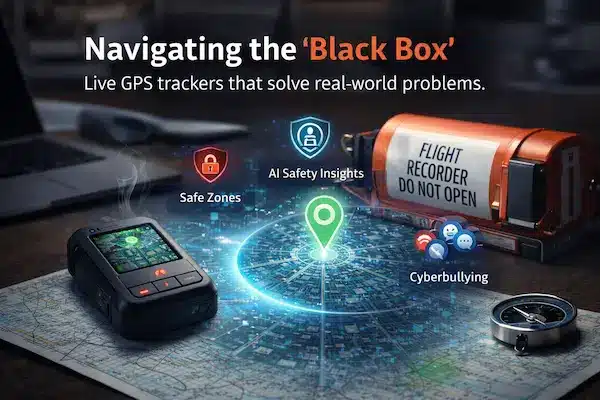
Choosing a best live GPS tracker sounds simple until you try it in real life. The maps look smooth in screenshots, but once you use a tracker with your family or your team, you start seeing delays, jumps on the route and fast-draining batteries. Very quickly, it feels like you are dealing with a black box that you cannot fully trust. This guide opens that box in plain language so you can match the right tracking setup to your actual situations, instead of guessing based on slogans and pretty interfaces.
Contents
- 1 1. Why Choosing The Best Live GPS Tracker Feels Like A Black Box
- 2 2. What Really Makes The Best Live GPS Tracker For You
- 3 3. What “Live” GPS Tracking Actually Means In Daily Use
- 4 4. Mapping Your Real World Problems To Live GPS Tracker Requirements
- 5 5. Technical Criteria That Define A Trustworthy Best Live GPS Tracker
- 6 6. Device Choices: Dedicated Trackers Or Smartphone Based Live GPS
- 7 7. Privacy, Consent And Legal Rules For Live GPS Tracker Use
- 8 8. Pricing Models And Hidden Costs Of Live GPS Tracking Solutions
- 9 9. A Simple Framework To Compare Live GPS Tracker Options
- 10 10. Red Flags And Marketing Traps Around Live GPS Trackers
- 11 11. Implementation Checklist After Choosing A Live GPS Tracker
- 12 12. Case Studies: How The Best Live GPS Tracker Performs In Reality
- 13 13. Where A Platform Like PhoneTracker247 Fits As A Live GPS Tracker
- 14 FAQs About Choosing The Best Live GPS Tracker
- 15 Conclusion: Your Final Checklist To Choose The Best Live GPS Tracker
1. Why Choosing The Best Live GPS Tracker Feels Like A Black Box
Most buyers only realise how confusing live GPS tracking is after they try it. On product pages everything looks reliable, but in daily use the dot on the map jumps, trips go missing and batteries drain faster than expected. Without clear explanations about how tracking behaves in bad signal, busy cities or underground parking, choosing a best live GPS tracker feels like guessing in the dark.
1. The Gap Between GPS Tracker Marketing And Real Life Location Data
Marketing assumes perfect roads, open skies and full signal. Real life is full of tunnels, basements, crowded buildings and phones switching between WiFi and mobile data. Two services can promise ten second updates, yet one quietly fills in the route when signal returns while the other simply drops parts of the trip. On a clean feature list, that difference is invisible, but on a stressful day it decides whether you trust the map or not.
2. Why The Best Live GPS Tracker Means Different Things For Different Users
Parents, fleet managers, school staff and solo travellers do not measure success the same way. A family cares about school arrival and safe returns home. A small delivery fleet cares about proof of arrival and route efficiency. For each group, the best live GPS tracker is the one that fits their risks, decisions and daily conversations, not a generic winner on a comparison chart.
3. What This Live GPS Tracker Guide Will Actually Help You Decide
This guide gives you a simple way to move from confusion to clear choices. You will learn how to turn real world worries into tracking requirements, how to read beyond bold claims and how to test a few options in your own routes and routines. By the end, you will be able to judge any live GPS tracker with your own checklist instead of relying on guesswork or hype.
2. What Really Makes The Best Live GPS Tracker For You
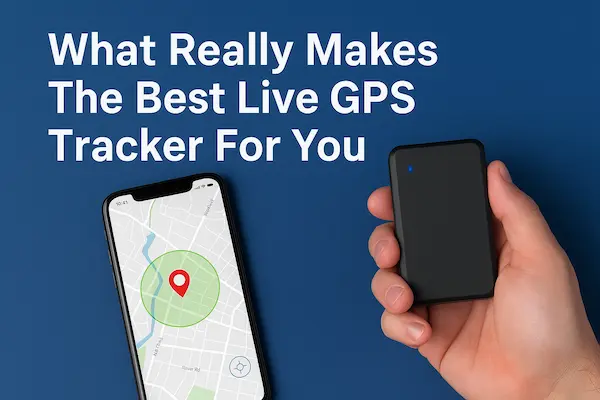
At the simplest level, a best live GPS tracker is the setup that gives you location that is accurate enough, fast enough and clear enough for the real decisions you make every day, without ruining battery life, breaking trust or blowing up your budget.
1. Best Live GPS Tracker In One Short, Practical Definition
In real life, the best live GPS tracker is a mix of device, network and app that still works when signal is messy, keeps a readable history and lets non technical people see what is happening in a few seconds. It should match your routes, your cities and your people, not an ideal lab test.
2. Core Factors That Matter More Than GPS Tracker Brand Names
When you compare options, focus on questions like:
- Is accuracy good enough where you actually move
- Are updates frequent enough without killing the battery
- Is the app simple enough for everyday users
- Can you see and export history when there is a problem
- Are privacy, consent and data retention rules clear
3. Who Should Slow Down Before Buying Any Live GPS Tracker
You need extra care if you work with children, elderly people, sensitive data or strict regulation, or if your teams spend time in remote or underground areas. In those cases, start with a small pilot and use it to see how each live GPS tracker behaves before you roll it out to everyone.
Table 1: Real world scenario vs what the best live GPS tracker should deliver
| Scenario | Accuracy needed | Update frequency | Battery priority | Extra features to check |
|---|---|---|---|---|
| Child going to and from school | Street or gate level | Every 30 to 60 seconds | Lasts all day | Simple app, arrival alerts |
| Small city delivery fleet | Address level | Every 10 to 30 seconds | Work shift length | Route history, proof of stop, ETA share |
| Outdoor and travel use | Area or trail level | Every 30 to 120 seconds | Many hours or days | Offline maps, SOS, basic weather info |
How to choose the best live GPS tracker
- Start from real scenarios, not from brand names
- Decide how accurate and how fast you really need updates
- Check how the tracker behaves with weak or changing signal
- Make sure privacy, consent and history are easy to manage
- Always run a short real world test before you commit
3. What “Live” GPS Tracking Actually Means In Daily Use
Most people hear “live” and picture a dot that moves on the map in perfect sync with reality. In practice, what you see is shaped by accuracy, how often the device sends a point, network quality and the way the app draws each trip. Once you understand this, it becomes much easier to decide which option could be the best live GPS tracker for your own routes and routines.
1. Live GPS Tracking Versus Frequent Or Delayed Updates
Many services still call their service live even if they only refresh every 30 or 60 seconds or send batches of points when signal improves. A small delay is fine if you only check school arrival or look at a route after work. The same delay feels very different if you are coordinating drivers in traffic or handling a safety incident. The right update speed depends on what you actually do with the information, not on the smallest number in a brochure.
2. Accuracy, Refresh And Latency In Simple Terms
Three elements decide how honest the map feels:
- Accuracy: how close the point is to the real position
- Refresh rate: how often a new point is recorded
- Latency: how long it takes for that point to show up in the app
In busy cities, tall buildings or poor coverage, you rarely get perfect values for all three at once. When you test any system, watch a full trip instead of a single screenshot and ask whether the route looks stable, believable and useful for decisions.
3. How Map Design Can Hide Or Reveal Problems
Tracking apps do not simply show raw dots. Many smooth routes, snap positions to roads or draw straight lines over gaps. This can make screens look clean while hiding jumps and missing segments that matter to you. A more honest design shows where the signal struggled and does not pretend that guesses are facts. When you compare tools, pay attention to how each one behaves around tunnels, basements and dense streets, because that is where you will really notice the difference.
4. Mapping Your Real World Problems To Live GPS Tracker Requirements
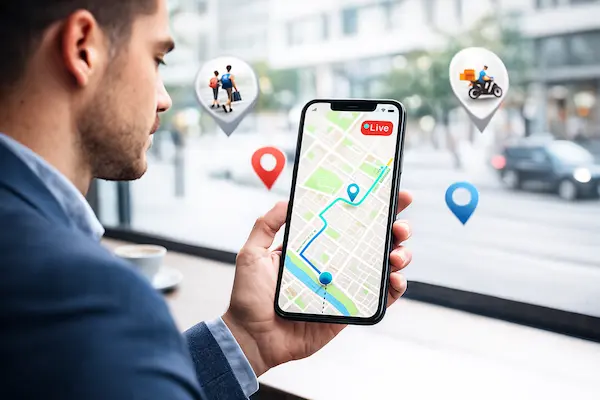
The best live GPS tracker for you depends entirely on what you are trying to protect or manage. The same hardware and app will behave very differently in a school run, a delivery route or a mountain trail, so you need to start from real situations, not generic features.
1. Requirements For Families, Kids And Elderly Safety
For families the main questions are simple: did they arrive, did they leave and where are they now if something feels wrong. You usually need street level detail around home, school and familiar places, updates every 30 to 60 seconds while moving, clear arrival alerts and an interface that parents or older relatives can read without help.
2. Requirements For Field Teams And Delivery Staff
Field teams and couriers care about timing, routes and proof of visit. They need address level locations near customers, faster refresh during routes, reliable trip history with start, stop and dwell times and a simple way to see who is closest to a new job or urgent task.
3. Requirements For Company Vehicles And Shared Assets
With vehicles and equipment the focus is position, usage and risk. Good setups give consistent location on main routes and depots, clear separation between work hours and personal use, alerts for unusual movement or out of area activity and reports that support maintenance and planning.
4. Requirements For Personal Safety And Outdoor Trips
Solo travellers and outdoor users need coverage and battery life more than perfect address accuracy. They benefit from stable trail level positions, flexible refresh settings to stretch power on long days, offline maps, route sharing and a simple check in or SOS feature that works when conditions are poor.
5. Technical Criteria That Define A Trustworthy Best Live GPS Tracker
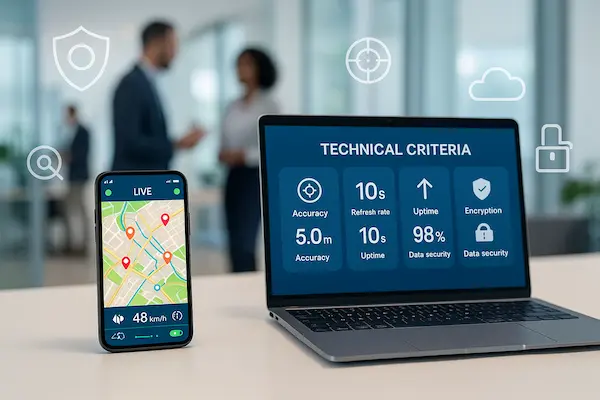
Once you know what you need from a best live GPS tracker, you can scan the tech details much faster and focus only on what really changes what you see on the map.
1. Location Sources And Realistic GPS Accuracy
Check how the tracker behaves in your real streets, buildings and indoor spots, not just the ideal accuracy number in meters.
2. Network Coverage, Signal Quality And Dead Zones
Make sure the networks it uses actually cover your routes and see what happens when signal drops in tunnels, basements or rural areas.
3. Battery Life Versus Live Update Frequency
Confirm that update speed is high enough for your decisions but still lets phones or devices last through a normal school day, shift or trip.
4. Reliability, Server Uptime And Alert Delay
Look for a clear uptime promise and test how quickly alerts arrive when you trigger real events such as arrivals, departures or zone breaks.
5. App Experience, Timelines And Alert Noise
Open the app and see if you can understand routes and key events in a few seconds without digging through clutter or endless alerts.
6. Integrations, API And Multi Device Support
Check whether you can export data, connect other tools and group several devices under one profile so your setup can grow with you as your best live GPS tracker in the long term.
6. Device Choices: Dedicated Trackers Or Smartphone Based Live GPS
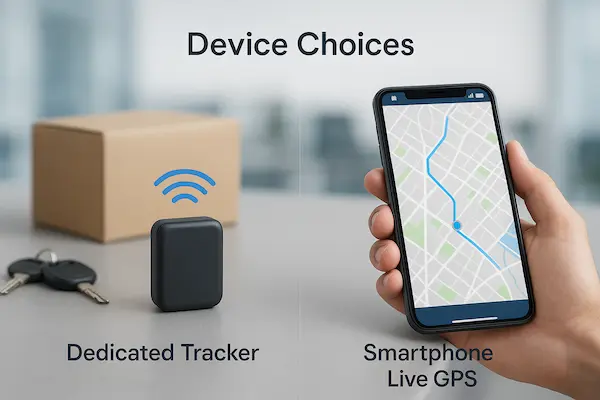
Once you know what you need, the next question is where your best live GPS tracker should actually run: inside a small dedicated device, inside a phone app or as a mix of both.
1. When Dedicated GPS Tracker Devices Make Sense
Dedicated devices are built only for tracking. They are tougher than phones, can be fixed to vehicles or assets and do not depend on whether someone keeps their personal phone with them. They work well for cars, vans, bikes, trailers and shared tools, as long as you are ready to manage extra hardware, data plans and charging.
2. When A Smartphone App Is Enough
For many families and teams, installing an app on phones you already use is the fastest way to start. There is no extra box to carry, setup is simple and it is easy to add or remove people. The trade offs are battery, personal control and signal changes during daily use, so this path works best when you have clear agreements and good communication.
3. Hybrid Setups And People Centric Tracking
A lot of groups end up with a hybrid approach. Vehicles or assets use dedicated units while people run an app, and everything appears in one shared view. This kind of best live GPS tracker setup gives context as well as dots on a map and can grow with you as routes, teams and risks change over time.
7. Privacy, Consent And Legal Rules For Live GPS Tracker Use
Even the best live GPS tracker can create trouble if you ignore privacy, consent and local law. Location data is personal, so you need clear rules before you start tracking anyone in real life.
1. When Live GPS Tracking Is Usually Acceptable
Most countries allow tracking of company owned devices and vehicles for work, and parents can usually track their minor children. Schools and other organisations can track their own assets. Even so, it is safer to write down what you collect, why you collect it and who can see it.
2. How To Explain Tracking To Staff Or Family
People accept tracking more easily when they know the purpose and limits. Tell them what is tracked, when it is active, who has access and how long data is kept. Use simple language, invite questions and avoid hiding important settings.
3. Keeping Data Use Limited And Controlled
Good setups collect only what is needed, keep it for a clear period and protect access. That means reasonable update rates, defined retention times and strong logins with roles. If you operate across regions, check local rules and update your policy before you expand tracking further.
8. Pricing Models And Hidden Costs Of Live GPS Tracking Solutions
Even when a setup looks like the best live GPS tracker on paper, the real cost depends on devices, subscriptions, data and contracts. Looking at all of them together is the only way to avoid unpleasant surprises later.
1. Hardware Price Versus Subscription Fees
Most systems combine a one time device cost with a monthly or yearly plan. A cheap box with a high subscription can be more expensive in the long run than a pricier device with fair service fees. Always check what you get in the base plan and what requires an upgrade.
2. Data, SIM, Roaming And Hidden Usage Charges
Tracking needs data. Some providers bundle SIM and data, others expect you to manage them yourself. Cross border trips, roaming and heavy usage can all increase the bill. Make sure you know where data is included at normal rates and what happens if you go over soft limits.
3. Contracts, Renewals And Upgrade Cycles
Discounts often come with long contracts. That can be fine if the tool truly fits, but painful if you want to leave. Read the minimum term, renewal rules and exit fees, and ask how hardware upgrades are handled so your best live GPS tracker today does not become a locked in problem tomorrow.
Cost breakdown of a typical live GPS tracking setup
| Cost element | One time cost | Recurring cost | Risk if ignored |
|---|---|---|---|
| Tracking device | Purchase or installation per unit | None, unless lease or rental | Underestimating hardware spend as you grow |
| Subscription plan | Possible setup or activation fee | Monthly or yearly per device or user | Paying for features you rarely or never use |
| Data and SIM usage | SIM or eSIM activation | Data bundle, roaming and overage fees | Large unexpected bills from heavy or cross border use |
| Support and add ons | Optional training or onboarding | Premium support or extra modules | Poor help when incidents or outages happen |
| Replacement and upgrade | Occasional device replacement | Planned refresh every few years | Old hardware failing at critical moments |
9. A Simple Framework To Compare Live GPS Tracker Options
Now that you have candidates, you need a calm way to see which one can really be your best live GPS tracker in daily use, not just in ads.
1. Build A Shortlist Of Three To Five Options
Cut obvious mismatches first. From what remains, keep only tools that:
- Work in your country and common routes
- Fit your rough monthly budget
- Offer the features you actually need
Do not over research. Stop at three to five serious options.
2. Run A Seven Day Real World Pilot
Install each tool, set basic alerts and use it for at least one normal week. During that week, note:
- How often routes look wrong or incomplete
- Battery impact and how people feel about it
- How easy it is to answer “where are they now” and “what happened earlier”
3. Score Each Tracker With Clear Criteria
After the pilot, give each option simple scores for accuracy, update speed, coverage, battery impact, app clarity, privacy controls, support and price. Keep notes on anything that stood out. In the conclusion you will turn these scores into a small decision matrix so the best choice is clear at a glance.
10. Red Flags And Marketing Traps Around Live GPS Trackers
Not every product that calls itself the best live GPS tracker is worth your trust. A few warning signs show up again and again when a tool will look good on launch day and frustrate you later.
1. Unrealistic Promises About Accuracy, Updates And Battery
Be careful when you see claims like street level accuracy everywhere, instant updates in all conditions and multi day battery on tiny devices. In real life there are always trade offs between refresh speed, signal quality and power use. If a vendor will not explain those trade offs in plain language, that is a bad sign.
2. Vague Privacy Language And Weak Support
If the privacy policy is hard to find, full of vague phrases or does not clearly say who can see location data and how long it is stored, treat that as a warning. The same goes for support that only offers slow email forms or chatbots with no real person behind them. You need clear answers when something serious happens.
3. Locked In Contracts And Sudden Price Jumps
Big discounts that require long contracts, automatic renewals that are hard to cancel and unclear upgrade rules can turn a low price into an expensive mistake. Before you commit, read how long you are tied in, what happens at renewal and how often prices or plans have changed in the past.
11. Implementation Checklist After Choosing A Live GPS Tracker
Once you pick what you believe is the best live GPS tracker for your situation, a simple rollout plan will decide whether people accept it or quietly turn it off.
1. Set Zones, Alerts And Roles Before You Go Live
Create key places such as home, depot or school, add only a few essential alerts and assign roles so each person sees only what they need. Test this with a small group first and fix noisy or missing alerts before you involve everyone.
2. Onboard Staff, Drivers Or Family Clearly
Explain why tracking is used, when it is on or off, who can see the data and how long it is kept. Show the app, answer questions and collect feedback in the first days so people feel informed, not monitored in secret.
3. Review Data And Adjust After 30 Days
After a month, review real trips and alerts. Check if routes are clear, which alerts help, where battery or weak signal still hurts and then adjust refresh rates, alert rules and access. A short review like this keeps your live GPS tracker useful and trusted over time.
12. Case Studies: How The Best Live GPS Tracker Performs In Reality
Real stories show what a best live GPS tracker looks like when it actually fits people, routes and routines.
1. A Family Reducing Stress Around School
One family set up phone based tracking with home, school and after school centers as key places. With updates every 30 to 60 seconds on trips and a short history window, parents could check the route in seconds instead of calling or texting. Clear rules about when tracking was on kept the focus on safety, not control.
2. A Small Delivery Fleet Cutting Disputes
A local delivery company installed dedicated units in vans and used a shared dashboard in the office. Trip history made it easy to answer customer questions, spot bad routes and adjust schedules instead of blaming drivers. Within a few weeks they saw fewer disputes, calmer calls and more predictable shifts.
3. A School Balancing Safety And Privacy
A school used temporary tracking for buses, staff phones and key assets during trips and drills, rather than tracking every student all day. Coordinators could see where groups and vehicles were, then switch tracking off when events ended. Parents were told exactly what was tracked and when, so safety improved without creating a feeling of constant surveillance.
13. Where A Platform Like PhoneTracker247 Fits As A Live GPS Tracker
A people centric platform such as PhoneTracker247 aims to turn your real devices and routes into one clear picture so the whole setup can act as a best live GPS tracker in everyday use, not just in theory.
1. From Device Level To Person Centric Visibility
Instead of tracking only a single box on a vehicle, PhoneTracker247 can link phones, dedicated trackers and other endpoints to one profile per person or role. That gives you a clean timeline even when someone changes vehicles or moves between indoor and outdoor spaces.
2. Balancing Accuracy, Battery And Privacy
Different refresh settings for school runs, work shifts and off hours help protect battery while clear roles and retention rules keep sensitive routes limited to the right people. Honest handling of weak signal builds trust, because users see when data is strong and when it is uncertain.
3. Who Benefits Most From A People Centric Setup
This style of platform suits families with several devices, small fleets with shared vehicles, schools that care about staff and buses or teams that use both phones and hardware trackers. In those cases, a people centric view often becomes the best live GPS tracker because it mirrors how people actually move and work, not just where a single device is mounted.
FAQs About Choosing The Best Live GPS Tracker
1. What is live GPS tracking
Live GPS tracking means sending frequent location updates so you can see movement close to real time, instead of only when someone opens an app.
2. How real time is a live GPS tracker in practice
Most systems refresh every few seconds up to about 30 or 60 seconds, depending on settings, signal and battery limits.
3. Can a GPS tracker work well indoors or in cities
Performance often drops near tall buildings and indoors, so you should test any tracker on the actual routes and places you care about.
4. Can a phone app be my best live GPS tracker
Yes, for many families and small teams a phone app is enough to act as their best live GPS tracker, as long as everyone accepts the impact on battery and privacy.
5. Is GPS tracking legal for employees, children or students
It is often legal to track company devices and minor children, but you should always check local rules, get consent where needed and avoid hidden tracking.
6. How much does reliable live GPS tracking usually cost
You normally pay a mix of app or platform fees, optional device costs and data charges, so it is best to calculate a total monthly cost per user or vehicle.
7. How long should I keep location history
Most people keep detailed history only as long as it is useful for safety, disputes or reports, then delete or archive older data under a clear written policy.
8. What is the simplest way to test if a tracker is good enough
Run it for one normal week on your real routes and check whether the map, history and alerts answer your daily questions quickly without causing new problems.
Conclusion: Your Final Checklist To Choose The Best Live GPS Tracker
Choosing a best live GPS tracker is really about one question: can you trust what you see on the map enough to make decisions in real life. Specs and screenshots matter less than calm, predictable behavior on your own routes, with your own people and rules.
Short checklist before you commit
Run this list on every option after a real world test week:
- Routes look believable in your actual streets and buildings
- Updates are fast enough without killing battery
- Coverage is acceptable on tunnels, basements and rural sections
- App is clear enough to answer key questions in a few seconds
- Privacy, consent and data history are easy to explain and control
- Total monthly cost per user or vehicle is transparent and sustainable
If a tool fails more than one of these, it is not your best live GPS tracker yet.
Quick summary table to compare live GPS tracker options
| Criteria | What to look for | Your score 1-5 | Notes from your test |
|---|---|---|---|
| Accuracy and route quality | Routes that look believable even in busy or weak signal areas | Do trips match what people remember and what logs show | |
| Update speed vs battery | Refresh that is fast enough without killing phones or devices early | How often did people complain about battery drain | |
| Coverage and dead zones | Clear behavior in tunnels, basements and rural or border regions | Where did you see gaps, and did the system recover cleanly | |
| App clarity and alerts | Map and timelines you can read in seconds and alerts that matter | Which alerts helped, which ones everyone ignored | |
| Privacy and control | Simple roles, consent and retention settings that people accept | Did staff or family feel informed and treated fairly | |
| Total monthly cost | Honest pricing when you include devices, plans and data | Is the cost per user or vehicle sustainable as you grow |
Fill this once per tool after your pilot week and the right choice usually stands out.
Clear next step with PhoneTracker247
To move from theory to action, start a small pilot with PhoneTracker247:
- Pick one family routine or one small team to test with
- Set simple rules for when tracking is on and how long data stays
- Run it for a normal week on real routes, not on a demo path
If PhoneTracker247 gives you calm, believable routes, acceptable battery use and clear answers when something unexpected happens, make it your default tracking layer and scale from there. If not, you still keep the checklist, the table and the experience you need to keep searching until you find the live GPS tracker that truly fits your world.
For daily updates, subscribe to PhoneTracker’s blog!
We may also be found on Facebook!