Nowadays, managing kids’ screen time isn’t as simple as it used to be. These days, it’s not just about blocking a few websites. Kids dive into AI-powered feeds, private chats, and endless online worlds, and it’s easy for them to get lost in all that noise. So, parents need more than just a basic timer. You need a plan-a real one.
This guide highlights the best screen time apps out there, the ones families actually trust. They help you take back your evenings and look out for your kids’ mental health. Whether you’re handing a tablet to your toddler for the first time or trying to get your teen to unplug, these expert-approved tools set the boundaries that make a real difference.
Why a Dedicated Screen Time Limits App Is Essential in 2026
We all know that apps today are not just entertaining. They are carefully engineered to keep users hooked. Endless scrolling, autoplay, short videos that never seem to end. It is all designed to make it harder to put the phone down.
That is exactly why a dedicated screen time limits app for parents is no longer optional in 2026. It acts like a reset button in a world built for constant stimulation. When everything online is competing for your child’s attention, you need something that can step in and create healthy limits.
For many parents, screen limits used to mean simple rules like no phones after 9 PM. Today, we understand that the issue goes much deeper than bedtime rules.
Neurological Impact
Recent 2026 research shows that repeated exposure to high dopamine content, especially in short form video apps, can reduce attention span in developing brains. Children’s brains are still forming critical focus and self control skills. When they are constantly fed fast, highly stimulating content, it becomes harder for them to slow down and concentrate.
Emotional Regulation
If you have ever taken a device away without warning, you know how intense the reaction can be. A structured screen time limits app for parents helps prevent these sudden meltdowns by giving clear countdowns and consistent boundaries. When children know what to expect, they are better able to regulate their emotions.
Sleep Hygiene
Late night scrolling disrupts natural sleep cycles. Blue light exposure interferes with melatonin production, which makes it harder for kids to fall asleep and stay asleep. Automated nighttime shutdowns and blue light filters help protect healthy sleep patterns, which directly impacts mood, focus, and academic performance the next day.
Table 1. Age-Based Screen Time Starting Points
Quick reference based on child mental-health guidance and WHO sedentary-behavior advice for under-5s. Use it as a starting point: protect sleep, school, and mood first, then adjust as your child grows.
| Age group | What reputable guidance emphasizes | Practical starting point (non-school screen time) | Best rule style that reduces conflict | “Tighten limits” signals |
|---|---|---|---|---|
| 0–18 months | Avoid screen media except video chatting with an adult | Keep screens off by default; use video chat only | Environment rules (no screens during meals/bedroom) | Sleep disruption, irritability, reliance on videos to calm down |
| 18–24 months | If used, choose high-quality educational content with a caregiver | Short, shared sessions only (co-viewing) | “Together time” only (parent present) | Tantrums when device removed, reduced play/interaction |
| 2–5 years | Keep non-educational use limited; quality and routines matter | ~1 hour on weekdays, up to ~3 hours on weekend days for non-educational use (adapt to your family) | Schedule blocks (after homework/chores; before dinner) | More meltdowns, sleep delays, less outdoor play |
| 6–12 years | No one-size-fits-all; limits should not replace sleep, physical activity, homework | Set limits that protect sleep + school nights; keep bedrooms/mealtimes device-free | “School nights vs weekends” rules + app categories | Declining grades, bedtime battles, sneak use, mood swings |
| 13–17 years | Independence + transparency; prioritize sleep and wellbeing | Use negotiated limits (shared goals) + “no screens 1 hour before bed” when possible | Trust-first: clear boundaries + check-ins, not constant spying | Late-night scrolling, anxiety spikes, social withdrawal |
The Limitation of Built in Tools: Apple Screen Time vs Google Family Link
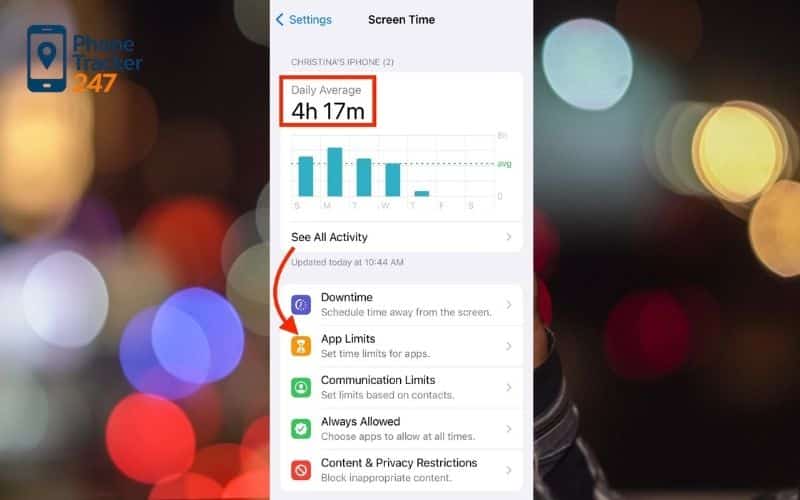
You might assume built in parental controls are enough. At first glance, they seem convenient and easy to use. But in real world situations, they often fall short. Children in 2026 are highly tech savvy, and many already know how to work around native iOS and Android restrictions. Simple tricks like adjusting the device clock or switching into Guest mode can bypass limits. When boundaries are that easy to override, they stop functioning as real boundaries.
There are also cross platform gaps to consider. Many families rely on multiple devices across different systems, such as an iPad for school and an Android phone for social media. Built in tools do not always sync smoothly between platforms, which creates monitoring blind spots and inconsistent enforcement. On top of that, native operating system tools usually show only how much time was spent online, not what your child was doing or who they were talking to.
Two hours spent researching for homework is very different from two hours scrolling through social media. Without that context, screen time numbers alone never tell the full story. A specialized screen time limits app for parents provides the structure, insight, and consistency that families need in today’s always connected world.
Top 6 Screen Time Apps for Parents Tested and Ranked
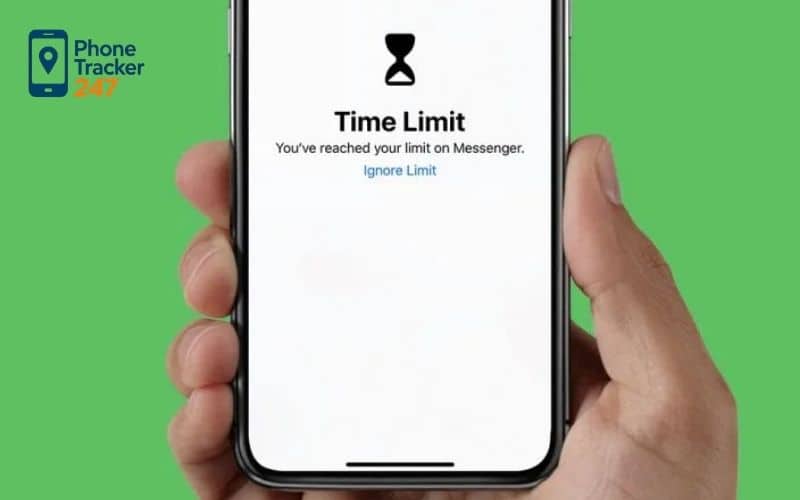
Not all parental control apps are created equal. Some look impressive on the surface but fall apart the moment a tech savvy teen tries to bypass them. That is why we rigorously tested the leading platforms to see which screen time limits app for parents truly delivers in 2026. From customization and AI alerts to real time tracking and school focused controls, here are the six tools that actually stand up to real world use.
1. Qustodio – Best Overall for Customization
Qustodio continues to dominate because of its incredibly detailed app level controls. Instead of applying a blanket restriction, you can allow unlimited access to educational apps while limiting social media to thirty minutes a day. That flexibility makes it ideal for families who want balance rather than total lockdown.
The dashboard is clean and intuitive, with a daily timeline that shows exactly when each app was opened. It also includes a Panic Button feature, allowing children to instantly share their live location with trusted contacts. For parents who want both structure and safety, this one checks all the boxes.
2. Aura – Best for Trust First Monitoring
Aura has surged in popularity thanks to its Balance feature, which focuses on emotional wellbeing instead of strict surveillance. It monitors usage patterns and alerts parents if behavior signals digital burnout or a sudden shift in social habits. That proactive insight makes it especially valuable for teens.
This screen time limits app for parents is built for families who want to maintain trust while still having a safety net. On top of monitoring tools, it includes identity theft protection for the entire household, making it more of a complete digital safety ecosystem than just a time tracking app.
3. Bark – Best for Social Media and AI Risk Alerts
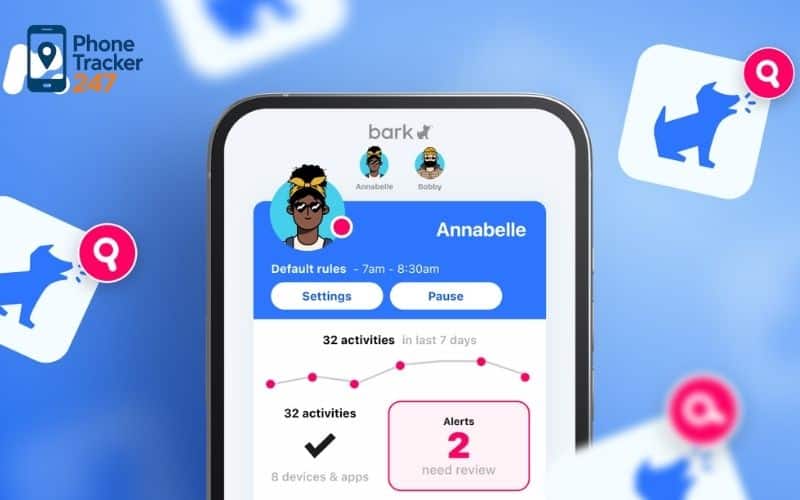
If you do not want to read every text or scroll through every message, Bark does the heavy lifting for you. Its AI scans more than thirty platforms for warning signs such as cyberbullying, predatory behavior, or self harm. You are only notified when something truly concerning appears.
Its screen time controls revolve around structured rule sets like Bedtime or School mode rather than minute by minute customization. It is also a strong option for larger families because one subscription supports unlimited devices.
See more: Bark Phone Review: Features, Pricing, Pros, Cons in 2026
4. PhoneTracker247 – Best for Real Time Visibility
PhoneTracker247 stands out for parents who want immediate clarity. Instead of focusing mainly on filtering content, it provides a live dashboard showing location history and current app activity. You can see where your child is and what they are doing in real time.
As a high performance screen time limits app for parents, it blends digital monitoring with GPS tracking. It is especially useful for older children who commute independently or attend after school activities, giving parents a reliable way to stay informed without constant texting.
5. Norton Family – Best for School Time Focus
Norton Family is tailored for academic productivity. Its School Time mode allows access only to approved educational websites while blocking distractions. That means a research session does not suddenly turn into hours of gaming or video streaming.
Reports are detailed and transparent, even showing the search terms your child uses on major search engines. For elementary and middle school families, it strikes a practical balance between safety, accountability, and time management.
6. VigilKids – Best for Real Time Family Awareness
VigilKids is one of the most talked about newcomers of 2026. It is designed for the rise of encrypted messaging apps like Discord and WhatsApp, offering Safety Signals instead of full message transcripts. Parents are alerted to risky behavior without invading every private conversation.
Built for the always connected generation, it provides a live awareness feed that helps families act early if a situation begins to escalate. It is especially recommended for children who spend most of their digital time in chat based communities rather than traditional websites.
If you are searching for the right screen time limits app for parents, the best choice ultimately depends on your parenting style, your child’s age, and how much visibility you want. The good news is that in 2026, you have smarter tools than ever before to create healthy digital boundaries.
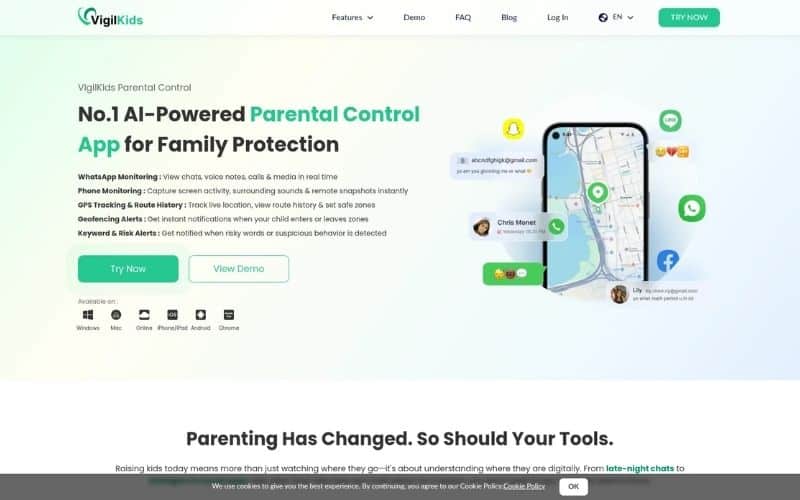
Table 1: Top 6 Screen Time Apps for Parents
| Rank | App | Best for | Works on | Screen-time controls | Scheduling | Reporting / Alerts | Location | Overall score (10) |
|---|---|---|---|---|---|---|---|---|
| 1 | PhoneTracker247 | Real-time clarity (activity + visibility) | Android / iOS (varies by setup) | App activity visibility + screen-time style reports | Yes (rule-based routines) | Real-time activity view, practical insights | Yes (location visibility) | 9.4 |
| 2 | Qustodio | All-around parental controls | Android / iOS / Windows / Mac + more | Time limits + pause | Weekly limits + screen-free times | Detailed reports + controls | Yes (location options) | 9.0 |
| 3 | Bark | Routines + wellbeing-style monitoring | Android / iOS (feature depth varies) | Screen time management | Strong schedules (bedtime/school) | Alerts-based monitoring focus | Limited/varies | 8.7 |
| 4 | Net Nanny | Structured screen-time + web filtering | Android / iOS / more | Time allowances | Daily hours + time blocks | Real-time alerts (content categories) | Some plans/features vary | 8.4 |
| 5 | Norton Family | Household rules + “time supervision” | Android / iOS / Windows | Time limits | Scheduled days/times | Activity insights + reporting | Yes (features vary) | 8.1 |
| 6 | Google Family Link | Free, simple controls (Android-first) | Android / Chromebook (best) | Daily limits + lock | Downtime / School time schedules | Basic reporting | Limited/varies |
Key Features to Look for in a Parental Control App
Choosing the right tool does not have to be complicated. When picking a screen time limits app for parents, focus on features that match your child’s age and level of independence. The best apps are flexible, secure, and built for real life parenting.
Remote Device Locking
A quick pause button lets you shut off internet access instantly. Perfect for dinner time, homework hours, or when you simply need everyone’s attention.
App Specific Timers
Not all screen time is the same. Look for an app that separates educational use from entertainment, so you can encourage learning while limiting distractions.
Tamper Protection
Kids are curious and clever. Make sure the app cannot be deleted or disabled without a secure parent password.
Geofencing
Get automatic alerts when your child arrives at or leaves specific locations like school or home. It offers peace of mind without constant check-ins.
How to Set Up Screen Time Limits Without the Drama
Rolling out a screen time limits app for parents should not feel like a surprise raid. If kids wake up one day to suddenly locked apps and strict timers, of course there will be pushback. The goal is teamwork, not control. When children feel included in the process, they are far more likely to cooperate.
Start with a Family Digital Tech Agreement
The smoothest transitions happen when families talk first and install later. Sit down together and agree on the rules before adding any software. Let your child have a voice. Maybe they choose which hour becomes their daily free time, or which apps matter most to them. That small sense of control reduces the feeling of being monitored.
It also helps to write the agreement down. Be clear about what happens if someone tries to bypass the rules. Many families now use simple reward systems. Extra chores, reading time, or positive behavior can earn small bonuses like fifteen extra minutes of gaming. When expectations are clear, arguments shrink.
Focus on Positive Reinforcement
The best screen time limits app for parents does more than block access. Many now include reward based features that give children extra time after completing responsibilities. For example, finishing homework or a lesson on a learning app could unlock bonus social time automatically.
This changes the tone completely. Instead of parents constantly saying no, the system encourages kids to manage their own priorities. Responsibilities come first, fun comes after. Over time, that builds healthier digital habits without daily battles.
Comparison: Free vs. Paid Screen Time Apps
Many parents wonder if a free screen time limits app for parents is sufficient or if they need to invest in a premium subscription.
| Feature | Free (Native Tools) | Paid (Qustodio/PhoneTracker247) |
| Basic Blocking | Yes | Yes |
| Location Tracking | Basic GPS | Live Timeline & Geofencing |
| Social Media Monitoring | No | AI-Powered Risk Alerts |
| Cross-Platform Support | Limited | Robust (iOS, Android, PC) |
| Uninstall Protection | Weak | Advanced/Administrative |
While free tools are a great starting point, a paid screen time limits app for parents offers the deep-level security and cross-device compatibility that modern families require to stay truly protected.
FAQs – Screen time limits app for parents
1) What is a screen time limits app for parents?
It’s an app or built-in tool that helps parents set schedules, app limits, and downtime to reduce excessive device use.
2) What’s a reasonable daily screen time limit for kids?
There isn’t one perfect number—start with limits that protect sleep, schoolwork, and outdoor play, then adjust based on behavior.
3) Should I use built-in Screen Time/Family Link or a paid app?
Built-in tools are great for basic limits; paid apps may add cross-platform control, stronger anti-tamper alerts, or deeper reports.
4) How do I set limits without causing daily arguments?
Use predictable schedules (homework → free time → downtime) and agree on rules before enforcing them.
5) What’s the best rule for bedtime?
Set downtime 30–60 minutes before sleep and keep devices out of the bedroom when possible.
6) Can kids bypass screen time limits?
Yes—common bypasses include guessing passcodes, using another device, or factory resets; choose strong passcodes and enable anti-tamper options.
7) Should I block apps completely or set time limits?
Time limits usually work better than total bans; reserve full blocks for unsafe content or repeated rule-breaking.
8) Do screen time apps track private messages?
Most limit and report usage; message monitoring varies by app—always check what data is collected and explain it to your child.
9) How do I handle school vs weekend screen time?
Use tighter limits on school nights and more flexible blocks on weekends, tied to chores and family plans.
10) What if my child has a meltdown when the limit hits?
Start with gradual reductions, give a 5-minute warning, and offer an offline alternative (snack, walk, game, quick task) to reset the moment.
Conclusion: Reclaiming Family Time
Using a screen time limits app for parents is not about banning technology or turning your home into a tech free zone. It is about making sure devices support your family’s life instead of running it. In 2026, unplugging is harder than ever. Apps are louder, faster, and more demanding. But with the right structure in place, balance is still absolutely possible.
Whether you prefer the real time visibility of PhoneTracker247, the AI driven alerts from Bark, or the school focused features of Norton Family, the best choice is the one that matches your parenting style and your child’s needs. Start small. Set a few clear boundaries. Stay consistent. Over time, those small changes add up and help protect your child’s long term digital wellbeing.
For more detailed information:
Website: https://phonetracker247.com/
Facebook: https://www.facebook.com/phonetracker247
Gmail: contact@phonetracker247.com