Updated: December 15, 2025
Author: Editorial Team, Privacy and Mobile Safety
For: Families, businesses, and product teams building or using location features
Privacy Friendly Phone Location Tracking is not about collecting more data. It is about collecting the smallest amount of location information that still delivers real safety or coordination value, and doing it with clear consent, visible controls, and strong security. This guide focuses on practical defaults you can apply quickly, plus standards you can explain and defend if someone asks why tracking exists, who can see it, and how long it is kept. This content is educational and does not replace legal advice.
Contents
- 1 1. Fast Answer: Privacy Friendly Phone Location Tracking in 60 Seconds
- 2 2. What “Privacy Friendly Phone Location Tracking” Really Means
- 3 3. Consent and Transparency That Actually Hold Up
- 4 4. Data Minimization: Collect Less, Protect More
- 5 5. Location History Storage and Retention Best Practices
- 6 6. Security Controls That Make Location Tracking Privacy Friendly
- 7 7. On-Device vs Cloud: The Privacy Tradeoffs Explained
- 8 8. User Controls That Build Trust
- 9 9. Anti-Abuse Safeguards to Prevent Misuse
- 10 10. Best Practices by Scenario
- 11 11. How to Choose a Privacy Friendly Phone Location Tracking App
- 12 FAQs About Privacy Friendly Phone Location Tracking
- 13 Conclusion: Privacy Friendly Tracking You Can Defend
1. Fast Answer: Privacy Friendly Phone Location Tracking in 60 Seconds
This section is for quick decisions. You will get a plain-English definition, safer default settings, and a short checklist you can apply today.
1. Definition in 40 to 60 words
Privacy Friendly Phone Location Tracking means sharing or collecting location only with clear permission and a clear purpose, using the lowest precision and shortest history that still works. It includes obvious controls to pause, limit, and delete data, plus security protections that reduce unauthorized access and misuse.
2. The safest default setup (baseline that fits most people)
If you want Privacy Friendly Phone Location Tracking that is practical and defensible, start here:
- Choose on-demand location before continuous tracking.
- Prefer approximate location unless precise location is truly required.
- Limit who can view location to the smallest circle possible.
- Keep location history short by default (days, not months).
- Turn on strong account protection (MFA or passkeys if available).
- Make Pause tracking easy to find and instant.
- Use time-limited sharing when you must share outside your trusted group.
- For teams, keep basic access logs (who viewed location and when).
3. Do this today checklist (8 to 10 actions)
These steps align with Privacy Friendly Phone Location Tracking for families and organizations:
- Open location permissions and remove access for apps you do not actively use.
- Change “Always” access to “While Using” for non-critical apps.
- Disable precise location for apps that do not truly need it.
- Set a short retention window in the app, or clear location history on a schedule.
- Enable MFA or passkeys for the account that controls location sharing.
- Review sharing lists and remove old devices and old viewers.
- Turn on alerts for new logins and sharing changes.
- Do the pause test: pause tracking in under 10 seconds, or change your setup.
- If you use geofences, keep them limited to safety places, not your entire life.
- Write a one-line purpose rule: “We use location tracking only for X.”
4. Common mistakes to avoid
Most privacy failures come from default choices that create unnecessary trails and break the spirit of Privacy Friendly Phone Location Tracking:
- Starting with continuous tracking instead of on-demand.
- Keeping unlimited or unclear location history.
- Using vague consent or hidden tracking that would surprise the tracked person.
- Weak accounts that can be taken over.
- Too many viewers “just in case” that never get removed.
- No clear exit: users cannot pause, delete, or see who accessed data.
Quick takeaway: If your purpose is clear, your collection is minimal, and pausing is instant, you are already much closer to Privacy Friendly Phone Location Tracking than most setups.
2. What “Privacy Friendly Phone Location Tracking” Really Means
Privacy-friendly tracking is not a feature you switch on at the end. It is a set of choices that limit data by default, keep people informed, and make misuse harder. When Privacy Friendly Phone Location Tracking is done well, it feels predictable to the user: they know when tracking happens, why it happens, who can see it, and how to stop it instantly.
1. Privacy-friendly vs stealth tracking (the hard line)
Privacy-friendly tracking is visible and consent-based. The person being tracked can reasonably understand what is happening and can pause or revoke access. Stealth tracking is hidden, surprising, or designed to bypass awareness. If a person would be shocked to discover tracking later, it is not Privacy Friendly Phone Location Tracking. Even in family scenarios, privacy-friendly setups focus on safety and transparency, not secrecy.
2. The five non-negotiables of Privacy Friendly Phone Location Tracking
- Consent: Clear opt-in, not implied permission.
- Transparency: Ongoing notice and obvious controls, not buried menus.
- Minimization: Collect the least precise, least frequent location that still works.
- Security: Strong login, restricted access, and protection against account takeover.
- User control: Pause, limit sharing, and delete history without friction.
If any one of these is missing, the system may still “work,” but it stops being privacy-friendly in practice.
3. Myths that create privacy and legal trouble
- “I am doing this for safety, so consent is optional.” Safety goals do not replace permission and clear notice.
- “More data makes everyone safer.” Extra history often increases risk without improving outcomes.
- “Only bad actors need to worry.” The most common failures are ordinary ones: weak passwords, oversharing, and long retention.
- “If it is in the settings, it is transparent.” Transparency means users can find and understand controls quickly.
- “Continuous tracking is the default.” For Privacy Friendly Phone Location Tracking, on-demand or interval tracking is often the better starting point.
4. The one-sentence rule to remember
If you cannot explain who is being tracked, why, how often, and how to stop it in one sentence, your setup is not Privacy Friendly Phone Location Tracking yet.
3. Consent and Transparency That Actually Hold Up
Privacy Friendly Phone Location Tracking only works when consent is clear, ongoing, and easy to revoke. Transparency keeps that consent real over time, especially in families and workplaces.
1. Consent models: opt-in, ongoing notice, revocation
- Opt-in: tracking starts only after a clear yes.
- Ongoing notice: users can always see tracking status in settings or a visible indicator.
- Revocation: pause or stop must be instant and easy to find.
2. Just-in-time permission prompts: what to say and when
A privacy-friendly prompt answers four questions in plain language:
- What data is collected (approx or precise)?
- When is it collected (on-demand, interval, continuous)?
- Who can see it (specific people or roles)?
- How to pause or stop (one tap, where to find it)?
3. Proof of consent: logs, timestamps, audit trail
Keep lightweight records that support Privacy Friendly Phone Location Tracking without storing extra location history:
- Consent event (who, when, device)
- Scope (precision, frequency, permission level)
- Sharing changes (who gained or lost access)
- Access events (view/export, for teams)
- Revocation (pause/stop time)
Table 1 : Privacy Friendly Location Tracking Compliance Checklist
| Requirement | What good looks like | How to implement | Owner | Evidence |
|---|---|---|---|---|
| Clear purpose | One-line purpose | Purpose label in onboarding and settings | Product/Admin | Screenshot |
| Explicit opt-in | No tracking before yes | Unchecked toggle + confirm screen | Product/Admin | Consent log |
| Ongoing notice | Tracking status visible | Status badge or settings banner | Product | UI screenshot |
| Easy revocation | Stop in one tap | “Pause tracking” button, immediate effect | User/Product | Revocation timestamp |
| Scope clarity | Precision and frequency clear | Show approx/precise and on-demand/interval | Product | Settings screenshot |
| Minimal sharing | Smallest viewer set | Default viewer none or 1 trusted contact | User/Admin | Sharing list |
| Access logging (teams) | Views traceable | Log view + export events | Admin/Product | Access report |
| Short retention | Auto-delete by default | 7–30 day default, adjustable | Product/Admin | Retention setting |
| Secure accounts | Strong auth enabled | MFA/passkeys + login alerts | User/Admin | Security settings |
| Role-based access | Least privilege | Roles for manager/dispatcher | Admin | Role matrix |
| Data protection | Encrypted storage | TLS + encryption at rest | Product | Security doc |
| Safe support path | Fast abuse reporting | In-app report + escalation | Support/Admin | Ticket + SLA |
4. Families and shared devices
Keep it privacy-friendly by using clear household rules, removing old viewers/devices, and making tracking status obvious.
5. Workplace transparency essentials
Define purpose, work-hours boundaries, viewer roles, short retention, and an off-hours rule so Privacy Friendly Phone Location Tracking stays defensible.

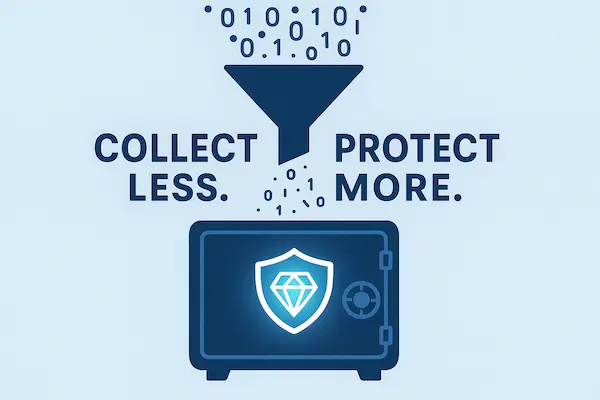
4. Data Minimization: Collect Less, Protect More
Privacy Friendly Phone Location Tracking is easiest to defend when you collect less by default. This section shows how to reduce precision, reduce frequency, and limit context, while still keeping the feature useful for safety and coordination.
1. Precision controls: approximate vs precise location
Start with the least precise option that still works.
- Approximate location fits most needs: meetups, check-ins, “are you nearby?” updates.
- Precise location should be reserved for cases that truly require it, like emergency pickup or navigating to an exact point.
- If your app supports it, let users switch between approximate and precise based on scenario, not as a permanent setting.
A good rule for Privacy Friendly Phone Location Tracking is: use precise location only when the task breaks without it.
2. Frequency controls: on-demand vs interval vs continuous
How often you collect location matters as much as accuracy.
- On-demand is the privacy-first default. Someone requests location only when needed.
- Interval tracking is a middle ground for short windows, such as a commute or delivery run.
- Continuous tracking is high-risk because it creates a dense trail. If you use it, limit it to short durations, clear notice, and strict access controls.
If you are designing Privacy Friendly Phone Location Tracking, treat continuous tracking as an exception, not the starting point.
3. Context controls: geofences, safety alerts, need-to-know design
You can often deliver safety value without full-time tracking.
- Geofences: alert when someone arrives or leaves a defined place, without exposing every step in between.
- Safety alerts: notify when a device detects unusual patterns, but avoid exposing raw history to many viewers.
- Need-to-know sharing: share an event or status (arrived, left, late) instead of a full map trail.
These patterns usually improve Privacy Friendly Phone Location Tracking because they reduce the raw data footprint.
Table 2 : Tracking Methods vs Privacy Risk vs Best Practice
| Method | Data collected | Primary risk | Best practice mitigation | Best use case |
|---|---|---|---|---|
| On-demand check-in | Single point, when requested | Over-sharing to too many viewers | Limit viewers, show request notice, log access | Families, meetups, safety check-ins |
| Time-limited interval | Points every X minutes for a short window | Creating a trail that lasts too long | Short window, auto-delete history, pause control | Commutes, deliveries, field visits |
| Continuous tracking | Dense trail, near real-time | Surveillance feel, high abuse value | Use only when needed, strict roles, short retention | High-risk safety scenarios, active operations |
| Geofence-only | Entry/exit events, limited points | Over-broad fences reveal habits | Keep fences minimal, clear purpose, limit viewers | School pickup, elder care routines |
| Emergency mode | Precise, high frequency for short time | Panic-driven oversharing | Time limit, explicit activation, clear exit | Lost phone, urgent pickup |
4. Recommended defaults by scenario (practical starting points)
These defaults keep Privacy Friendly Phone Location Tracking useful without turning it into a permanent trail.
- Families with children: geofence-only + on-demand check-ins, short history, limited viewers.
- Teens: on-demand or geofence alerts, clear visibility of when tracking is active, easy pause.
- Elder care: geofences for routines + emergency mode with time limits, strict viewer list.
- Business teams: time-limited interval during work hours, role-based access, access logs, short retention.
- Delivery and field ops: interval tracking only during active jobs, auto-stop at end of shift, minimize exports.
If you want Privacy Friendly Phone Location Tracking to feel trustworthy, the best default is always the one that does the job while leaving the smallest trail.
5. Location History Storage and Retention Best Practices
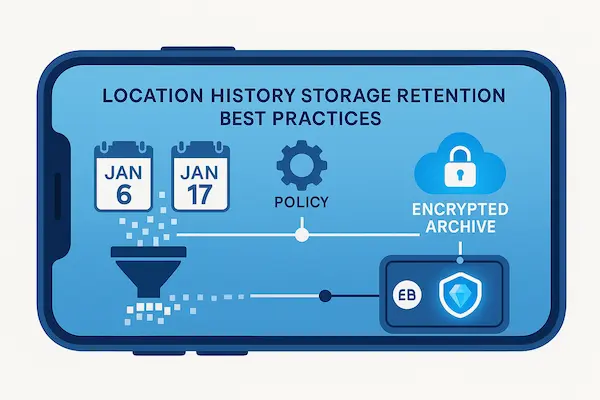
Privacy Friendly Phone Location Tracking can fail quietly when location history grows without limits. The safest approach is simple: keep history short, delete automatically, and make deletion real, including exports and backups.
1. Retention ranges by use case
There is no perfect number for everyone, but privacy-friendly retention usually falls into short, practical windows:
- Families and everyday safety: 24 hours to 7 days is often enough for “where were you” questions without building long trails.
- Elder care routines: 7 to 14 days can help spot patterns while staying restrained.
- Business operations: 7 to 30 days may be justified for scheduling, disputes, or compliance, depending on the role and local rules.
- High-risk events: use “event-based” retention, keeping only what is needed for a specific incident, then deleting it.
A strong baseline for Privacy Friendly Phone Location Tracking is: store the minimum window that still supports the user’s goal, then default to auto-delete.
2. Auto-delete defaults and user-configurable retention
Auto-delete is one of the most effective privacy protections because it does not rely on good habits.
- Set a short default retention and explain it in plain language.
- Let users extend retention intentionally, not by accident.
- Use time-limited modes (for example, “share for 2 hours”) rather than “share until I remember to stop.”
- For teams, allow admins to set retention by role, not one size fits all.
Good Privacy Friendly Phone Location Tracking makes the safe choice the easy choice.
3. Deletion that really deletes (including exports and backups)
Many products say “delete” but leave traces. Privacy-friendly deletion is verifiable.
- Primary history deletion: remove stored points from the main database.
- Cache deletion: clear device caches and temporary server caches.
- Backup handling: define when backups expire and how deleted data is purged from restore sets.
- Export control: limit exports, watermark exports for teams, and track who exported and when.
- Shared link cleanup: expire shared links automatically and invalidate old tokens.
If you want Privacy Friendly Phone Location Tracking that users trust, the product must treat deletion as a real outcome, not a cosmetic button.
4. A simple data hygiene routine
A lightweight routine keeps privacy friendly tracking clean without adding friction:
- Review your sharing list once a month and remove old viewers and devices.
- Clear location history on a schedule, or confirm auto-delete is enabled.
- Check permission levels after OS updates, new phones, or app reinstalls.
- For business accounts, audit who accessed location data and why.
The goal of Privacy Friendly Phone Location Tracking is not to store perfect history. It is to deliver value in the moment, then reduce the trail that could be misused later.
6. Security Controls That Make Location Tracking Privacy Friendly
Privacy Friendly Phone Location Tracking is only as strong as the account and sharing controls behind it. Even a well-designed privacy setup fails if someone can take over an account, access shared links, or quietly expand viewer permissions. This section covers the baseline security measures that protect location data from unauthorized access and misuse.
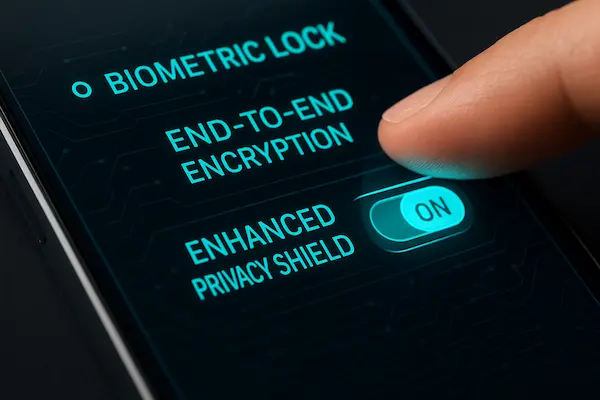
1. Encryption basics: in transit and at rest
Encryption is not a bonus feature. It is the minimum for protecting location data.
- In transit: use secure connections so location data is protected while moving between device and server.
- At rest: store location history and account data in encrypted form on servers and, when applicable, on device.
- Key handling: restrict who can access encryption keys and rotate them when needed.
For Privacy Friendly Phone Location Tracking, encryption matters most when retention exists at all. If you keep location history, protect it like sensitive financial data.
2. Strong authentication: MFA, passkeys, device binding
Most real-world location leaks come from weak accounts, reused passwords, or phishing.
- Enable MFA for any account that can view or manage location sharing.
- Prefer passkeys when available, because they reduce phishing risk.
- Use device binding or trusted-device approval for sensitive actions, like adding a new viewer or exporting history.
- Turn on login alerts so users know when a new device signs in.
If your goal is Privacy Friendly Phone Location Tracking, strong authentication is one of the highest-impact upgrades you can make in minutes.
3. Access control: least privilege, roles, admin separation
Security is not only about login. It is also about who can see what after they log in.
- Least privilege: viewers should only see the minimum location view required for their role.
- Role-based access: in business use, separate roles such as dispatcher, manager, admin, and support.
- Admin separation: prevent a single account from having unlimited power without oversight.
- Sensitive actions require confirmation: adding viewers, changing retention, exporting history should require re-authentication.
A privacy-friendly system reduces the chance that one mistake turns into full exposure of location history.
4. Incident readiness: detection, containment, user notification plan
Even strong systems face incidents. What matters is response speed and clarity.
- Detection: watch for unusual login patterns, repeated export actions, or rapid viewer changes.
- Containment: provide a one-click way to revoke sessions, reset sharing, and pause tracking.
- User notification: notify users quickly when security-sensitive events happen, such as a new device login or a viewer change.
- Recovery: make it easy to regain control, remove unauthorized viewers, and confirm that Privacy Friendly Phone Location Tracking is back to safe defaults.
When users feel they can regain control fast, trust stays intact. That trust is a key part of what makes Privacy Friendly Phone Location Tracking work long term.
7. On-Device vs Cloud: The Privacy Tradeoffs Explained
Privacy Friendly Phone Location Tracking depends on architecture. Where location is processed and stored determines how much raw data exists, who can access it, and what happens when accounts are compromised. This section explains the tradeoffs in plain language, then gives a simple way to choose the safest model for your use case.
1. On-device processing benefits (lower exposure)
On-device models keep more data on the phone and reduce what is sent elsewhere.
- Less centralized data: fewer raw location points stored on servers.
- Smaller breach impact: if the server holds less, there is less to leak.
- Better user control: users can delete local history and pause tracking without relying on a cloud setting.
- Privacy-friendly by default: event-based alerts can be generated locally without sharing a full trail.
For Privacy Friendly Phone Location Tracking, on-device processing is often the best starting point when you only need check-ins, local alerts, or short-term sharing.
2. Cloud tracking benefits (coordination and reporting)
Cloud models can be useful, but they need tighter guardrails.
- Multi-device coordination: family and team dashboards work best when devices sync.
- Cross-platform visibility: a parent, caregiver, or dispatcher can view location without holding the tracked device.
- Reporting and compliance: businesses may need audit logs, role controls, and retention rules that are easier to manage in the cloud.
- Reliability features: backups, device loss recovery, and continuity across phone upgrades.
If you use cloud tracking, Privacy Friendly Phone Location Tracking requires strict retention, strong access control, and clear visibility into who viewed location.
3. Hybrid model: send insights, not raw trails
Hybrid design often gives the best balance.
- Process raw GPS points on-device, then share events such as “arrived,” “left,” “late,” or “needs help.”
- Share approximate location by default, with a temporary switch to precise location for time-limited scenarios.
- Upload only what is needed for the feature, and keep cloud retention short.
- Keep an access log for any server-side viewing or exporting.
Hybrid patterns usually align well with Privacy Friendly Phone Location Tracking because they reduce the amount of sensitive raw history stored in one place.
4. Decision tree: which model fits your use case
Use this quick logic to choose a privacy-friendly setup:
- If you only need safety check-ins or simple alerts, choose on-device or on-demand first.
- If you need a shared dashboard across multiple people or devices, choose cloud, but enforce short retention and strict roles.
- If you need coordination and privacy, choose hybrid and default to events and approximate location.
- If you cannot explain why cloud history must exist, remove it. Privacy-friendly tracking works best when storage is intentional.
The more your system can deliver value without storing a long map trail, the closer it gets to Privacy Friendly Phone Location Tracking in practice.
8. User Controls That Build Trust
Privacy Friendly Phone Location Tracking works best when users can see, pause, and limit tracking fast. Controls should be obvious, and changes should take effect immediately.
1. A real pause tracking control
- Put “Pause tracking” in a top-level screen, not buried.
- Make pause instant, and clearly show status when paused.
- Offer timed pauses, like 1 hour, 1 day, or until resumed.
2. Visibility rules: who can see location and when
- Default to a small viewer list, then let users add access intentionally.
- Use time-limited sharing instead of “share forever.”
- Separate one-time views from continuous access.
3. Transparency logs
- Show last viewed time per viewer.
- Show last sharing change and last export, especially for teams.
- Provide a simple way to report suspicious access.
4. Safe sharing
- Use expiring links and one-tap revocation.
- Avoid public sharing modes for sensitive location.
- Limit link access and keep sharing easy to review.
These controls help keep Privacy Friendly Phone Location Tracking predictable, safer, and easier to defend.
9. Anti-Abuse Safeguards to Prevent Misuse
Privacy Friendly Phone Location Tracking should make misuse harder and recovery fast. The goal is simple: prevent covert monitoring, limit damage, and help users regain control quickly.
1. Anti-stalking signals and safety friction
- Flag suspicious behavior: rapid viewer changes, repeated exports, unusual logins.
- Require re-authentication before adding viewers or exporting history.
- Notify users when viewers or sharing settings change.
- Avoid long-lived public links and unlimited history by default.
2. Coercion-aware user controls
- Keep pause and remove-viewer actions easy to find.
- Use neutral wording so users can act safely without escalation.
- Offer a quick reset that restores safe sharing defaults.
3. Reporting and response
- Provide an in-app report option for suspected abuse.
- One-tap steps to pause tracking, revoke sessions, and remove viewers.
- Basic account hardening guidance: change password, enable MFA.
4. Teen tracking boundaries
- Prefer geofences and check-ins over constant tracking.
- Make tracking status visible.
- Keep history short and avoid unnecessary playback of full-day routes.
These safeguards help keep Privacy Friendly Phone Location Tracking focused on safety, not surveillance.
10. Best Practices by Scenario
Privacy Friendly Phone Location Tracking should look different depending on who is involved and what problem you are solving. These scenario defaults keep tracking useful while limiting precision, frequency, viewers, and retention.
1. Families
- Start with on-demand check-ins and geofence alerts for key places.
- Keep the viewer list small and review it monthly.
- Use approximate location by default, switch to precise only when needed.
- Keep location history short and enable auto-delete.
2. Elder care
- Use geofences for routine locations and a time-limited emergency mode.
- Limit viewers to caregivers who truly need access.
- Prefer short retention and event-based alerts over continuous trails.
- Ensure pause and revoke controls are easy for both caregiver and device owner.
3. Businesses
- Track only during work hours and job windows, not off shift.
- Use role-based access and access logs for viewers and exports.
- Prefer interval tracking for active work, on-demand for everything else.
- Set short retention and limit exports to authorized roles.
4. Travel and field teams
- Use time-limited interval tracking during travel windows, then auto-stop.
- Rely on event-based updates when connectivity is weak.
- Keep sharing temporary and minimize public link use.
- Balance battery and privacy by reducing precision and update frequency.
These defaults keep Privacy Friendly Phone Location Tracking practical, predictable, and easier to defend across real-world situations.
11. How to Choose a Privacy Friendly Phone Location Tracking App
A good app makes Privacy Friendly Phone Location Tracking easy, clear, and hard to abuse. Use the checklist below to evaluate tools based on behavior and controls, not marketing claims.
1. Red flags
- Stealth features designed to hide tracking or bypass awareness.
- Unclear consent, vague prompts, or no obvious pause control.
- Unlimited location history with no auto-delete option.
- Weak account protection or no MFA support.
- Sharing that is easy to expand but hard to review.
- Exports that happen without logging or re-authentication.
2. Green flags
- Clear setup that explains purpose, precision, frequency, and viewers.
- Visible pause tracking control and simple revocation.
- Short retention by default and easy history deletion.
- Strong login options like MFA or passkeys, plus login alerts.
- Viewer management that is easy to review and time-limit.
- Transparency logs for viewing, sharing changes, and exports (for teams).
3. Buyer checklist: 10 questions to ask before installing
- Can I pause tracking instantly and confirm it is paused?
- Does the app default to approximate location when possible?
- Can I choose on-demand or interval tracking instead of continuous?
- How long is location history stored by default, and can I auto-delete it?
- Can I see exactly who can view location right now?
- Can I time-limit sharing instead of leaving it on forever?
- Does the app show access history or at least key sharing changes?
- Does it support MFA or passkeys and alerts for new logins?
- Does it prevent risky actions without confirmation (add viewer, export)?
- Is it clear what the app is not meant for, especially covert monitoring?
4. Soft CTA
If you want Privacy Friendly Phone Location Tracking with transparent controls, safer defaults, and easy-to-manage sharing, consider PhoneTracker247 as an option to evaluate using the checklist above.
FAQs About Privacy Friendly Phone Location Tracking
1. Is Privacy Friendly Phone Location Tracking legal?
Often yes when consent and clear notice are in place. Laws vary by location and relationship, so avoid hidden tracking.
2. What is the safest tracking setup for families?
Use on-demand check-ins and limited geofences. Keep the viewer list small and history short.
3. Can I track someone without them knowing?
That is not compatible with Privacy Friendly Phone Location Tracking. It can also create serious legal and safety risk.
4. How long should location history be kept?
Short by default, typically days not months. Auto-delete is one of the best protections.
5. Should I use precise or approximate location?
Start with approximate location for most needs. Switch to precise only for time-limited, task-critical moments.
6. How do I pause tracking instantly?
Use a visible “Pause tracking” control that stops updates immediately. If it is hard to find, your setup is not privacy-friendly.
7. What should employers disclose to employees?
Purpose, work-hour boundaries, who can view data, and retention rules. Off-hours tracking should not be the default.
8. Which security features matter most?
MFA or passkeys, login alerts, and strict viewer controls. For teams, add access logs for viewing and exports.
Conclusion: Privacy Friendly Tracking You Can Defend
Privacy Friendly Phone Location Tracking is becoming the new baseline. People still want safety and coordination, but they also expect clear consent, minimal collection, short retention, and controls that are easy to find. The good news is that privacy-first defaults usually improve the experience too, less background tracking, less battery drain, fewer disputes, and fewer risky data trails.
Quick Summary Table
| Best practice | Best default | Why it matters |
|---|---|---|
| Consent | Opt-in + easy revoke | Reduces risk and surprises |
| Precision | Approximate first | Limits exposure |
| Frequency | On-demand first | Avoids constant trails |
| Sharing | Small list + time limits | Prevents over-sharing |
| Retention | Short + auto-delete | Cuts long-term risk |
| Security | MFA/passkeys + alerts | Blocks takeovers |
| Control | One-tap pause | Keeps trust |
Use PhoneTracker247
If you want Privacy Friendly Phone Location Tracking that stays transparent and easy to control, use PhoneTracker247. Set it up with on-demand sharing, approximate location by default, short retention with deletion, and strong account protection. This keeps tracking useful without turning it into a permanent trail.
For daily updates, subscribe to PhoneTracker’s blog!
We may also be found on Facebook!