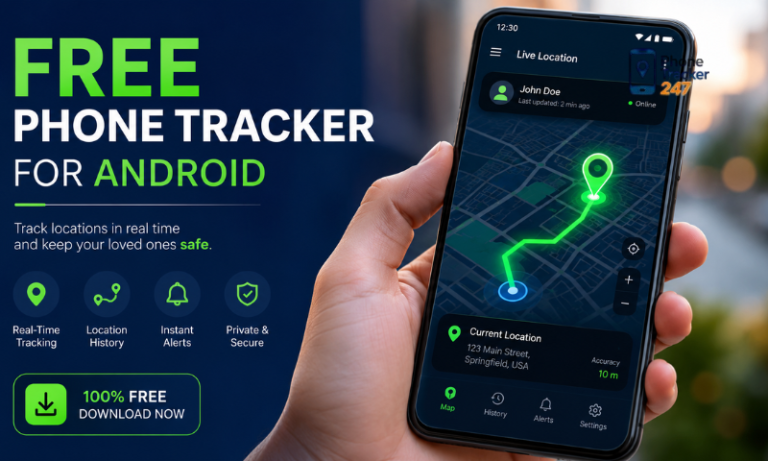
Most people do not start from technology, they start from worry: a child walking home alone, a partner travelling late at night, a driver who has not checked in yet. Those everyday questions quietly push us to look for a way to see where a phone is and to react quickly if something goes wrong. The challenge is finding a free mobile tracker that adds real safety without feeling like spying, that respects privacy and law, and that you can actually trust when it matters.
1. What Is A Free Mobile Tracker And Who Really Needs It
This section gives you the fast, simple version of the story. Instead of reading the whole guide, you can use this part to understand what a free mobile tracker really is, what you should watch out for before installing one, and which types of users benefit the most from a responsible tracking setup.
1. Short definition of a free mobile tracker
A free mobile tracker is an app or online service that you install on a phone you own or are allowed to manage so you can see its location and a few basic activity signals without paying a subscription. A reliable free mobile tracker is transparent about what it collects, does not try to hack other devices and stays within normal privacy and safety rules.
2. Key takeaways before you choose a free mobile tracker
- Only use a free mobile tracker app on devices you own or have clear permission to monitor.
- A reliable free mobile tracker explains what data it collects, how long it keeps it and who can see it.
- Free tools are best for simple safety checks, not deep, forensic style monitoring.
- Tracking works better when you talk about it openly with family members or staff instead of using it as a secret spying tool.
3. Who a reliable free mobile tracker is made for today
- Parents and caregivers who want to know a child arrived safely without reading every chat.
- Families and couples who share locations for peace of mind when travelling or coming home late.
- Small businesses and field teams that need a light, low cost way to see where drivers or technicians are during the day.
2. Why So Many People Are Searching For A Free Mobile Tracker App
Life has moved to many screens at once. Phones, tablets and laptops follow us everywhere, but our view of what happens on them is often broken and incomplete. That gap is what pushes more people to look for a simple, free mobile tracker app that feels safe enough to use every day.
1. The multi device life and rising digital risks
Most homes and small teams now use several phones and other devices at the same time. Kids switch between school tablets, home phones and borrowed devices. Staff move between personal and company phones while working on the go. This creates blind spots, so a free mobile tracker becomes a way to see where key devices are and to react faster if something looks wrong.
2. When paid tracking tools feel expensive or too complex
Paid tracking platforms can be powerful but they often feel heavy for a parent or a small business owner. Subscriptions add up, and long setup guides put people off. A focused free mobile tracker app that only shows location and a few alerts is easier to try, understand and add to a daily routine.
3. The hidden dangers of random free tracking apps
The same search that finds good tools also reveals risky ones. Some “free” apps are built mainly to collect data, show aggressive ads or even break into accounts. They may promise hacking features, request excessive permissions and hide who runs the service. Choosing a reliable free mobile tracker instead of the first flashy result is what keeps safety from turning into a new security problem.
3. What A Free Mobile Tracker Can And Cannot Do For You
This part helps you set realistic expectations. A free mobile tracker can be very useful, but it is not magic. Knowing clearly what it can and cannot do will stop you from relying on false promises and will guide you toward safer choices.
1. What a free mobile tracker can do reliably
In normal use, a free mobile tracker app focuses on a few simple but valuable actions:
- Show the current or recent location of a phone so you can see where a child, family member or staff device is.
- Keep a short history of locations so you can review recent movements during the day.
- Send basic alerts, for example when a device enters or leaves a saved area, or when it has been offline for too long.
- Help you find a lost phone by showing the last known position or making it ring.
These basic features are often enough for families and small teams that need a light safety layer without heavy control.
2. What a free mobile tracker cannot or should not do
A free mobile tracker is not a hacking tool and it is not built for deep surveillance. In a responsible setup, it will not:
- Break into phones that you do not own or do not have permission to monitor.
- Give you full access to every message, call recording and social media account on someone else’s device.
- Stay completely invisible in a way that hides all signs from the phone owner.
- Bypass local privacy, data protection or labour laws.
If an app claims it can secretly track any phone in the world with no consent and no limits, it is a warning sign rather than a benefit.
3. Why understanding these limits protects you
When you know the limits of a reliable free mobile tracker, you make smarter choices:
- You do not expect free tools to replace full security systems or legal processes.
- You are less tempted by dangerous apps that promise impossible levels of spying.
- You can combine basic tracking with good communication, clear rules and other security steps such as strong passwords and screen locks.
In the end, the right free mobile tracker app is one that fits naturally into your life, keeps expectations realistic and reduces risk instead of creating new problems.
Table 1. What A Free Mobile Tracker Can And Cannot Do
| No. | Action or feature | What a free mobile tracker can do | What it cannot or should not do |
|---|---|---|---|
| 1 | See where a phone is | Show current or recent location on a map | Track any random phone without access or permission |
| 2 | Follow daily movements | Keep a short, basic location history | Store unlimited, detailed movement logs for many years |
| 3 | Send safety alerts | Notify when a device enters or leaves selected areas | Predict crimes or guarantee that nothing bad will ever happen |
| 4 | Help find a lost phone | Show last known location and help you ring or locate the device | Recover a stolen phone from any place or force it back to you |
| 5 | Support family or team safety | Give light oversight so you can check in when needed | Replace honest conversations, rules or legal agreements |
| 6 | Handle private data | Collect limited data needed for tracking with clear rules | Harvest extra data for unknown uses or ignore privacy and consent |
4. Is Using A Free Mobile Tracker Legal, Safe And Ethical
Before installing any free mobile tracker, you need to think less about the app and more about people, consent and local law. The same tool can protect a child or support a team, but it can also cross serious lines if used on the wrong device or in secret.
1. Tracking your own devices and your children’s phones
The safest situation is when you track devices you bought and manage. A parent adding a phone locator to a child’s handset under clear house rules is very different from secretly installing software on someone else’s device. With kids, explain in simple terms why location sharing is on, when you will check it and how long data is kept. With teens, treat tracking as a shared safety tool, not a punishment, and agree together on boundaries.
2. Tracking employee and company devices
In the workplace things get more sensitive. Tracking can sometimes be justified on company owned phones for asset protection, route planning or safety, but it should always sit inside a written policy that staff see and sign. For personal devices, forcing workers to install a locator app can clash with privacy and labour rules, and may be illegal in some places. If you plan any form of staff monitoring, speak with legal or HR advisors and consider compliant device management solutions.
3. Privacy rules, consent and data protection laws
Most privacy frameworks share the same core ideas: collect only what you need, be honest about it and protect it properly. In practice that means no secret installs, limited retention of location logs, strict access controls and clear explanations in plain language. This guide cannot replace legal advice, but if you build your setup around consent, transparency and narrow, well defined goals, you are far closer to lawful, ethical tracking than anyone who treats these tools as hidden spy software.
5. How To Choose A Truly Reliable Free Mobile Tracker
Choosing a free mobile tracker is really about trust: you are giving an app access to sensitive movement data, so you need solid security, a visible company behind it and features that actually match your daily life.
1. Check security basics first
Treat any tracking app like online banking. It should support strong passwords and preferably two factor login, use encryption between phone and server, avoid risky steps like rooting or jailbreaking, and receive regular updates. If security looks weak or abandoned, walk away.
2. Look at who is behind the app
Go past the download button. A serious provider has a real website, contact details, a readable privacy policy and clear terms of use. There should be some kind of support and recent help content, plus independent reviews you can verify. If you cannot see who runs the service or how your data is handled, that is a bad sign.
3. Match features to your real needs
Write down what you actually need: simple location checks for kids, mutual sharing for family members, or basic oversight for a small team. Then choose a phone locator that does those things well instead of chasing every extra feature. A focused, easy to use tracking tool you fully understand is far more valuable than a complex platform you never really configure.
4. Understand limits, upgrades and exit options
Check whether “free” is a permanent basic tier or just a short trial, which features sit behind a paywall, and how pushy the upgrade prompts are. Make sure you can delete or export your data if you ever leave. Clear rules about pricing, limits and cancellation are part of what makes any tracking solution genuinely reliable.
6. Step By Step – How To Set Up A Free Mobile Tracker App Safely
Rushing setup is how people break trust, misconfigure settings and accidentally share more data than they meant to. If you take a few extra minutes to prepare the device, talk to the person who uses it and walk through each screen calmly, the whole tracking setup feels cleaner, safer and easier to explain later.
1. Prepare the phone and have an honest conversation
Before you install anything, tidy up the basics:
- Make sure the operating system is up to date.
- Check that location services work properly and the battery is in decent shape.
- Remove old, suspicious apps that you no longer use.
Then talk to the person who carries the phone. With children, explain in simple words that this tool is there to help find them or the device if something goes wrong. With teens or adults, be clear about what will be visible, when you plan to check it and what you will not use it for. A short, honest talk now avoids long arguments later.
2. Download the tracking app from a safe source
Only install software from official stores or the developer’s clearly verified website. Avoid random links from ads, forums or social media, especially if they promise hacking powers or “undetectable” spying.
When you reach the listing, read recent reviews, check how often it is updated and look at the permissions it requests. A normal phone locator needs location access and a few basic system rights, not full control over your messages, microphone and camera.
3. Create your account and connect the first device
Once the app is installed:
- Register with an email address you actually control and protect it with a strong password.
- Turn on any extra security options such as two factor login.
- Add the first device and wait for the initial location or status update.
Use this moment to test the basics. Open the web dashboard or companion app on your own phone, refresh the map and see if the device appears where you expect it to be. If something looks wrong, fix it now before adding more phones.
4. Configure alerts, schedules and privacy safeguards
The last step is to tune the system so it supports safety without feeling like constant surveillance:
- Set up a few meaningful places such as home, school, office or depot and enable arrival or departure alerts only where they add value.
- Decide quiet hours when notifications should be limited to real emergencies so nobody feels watched every minute of the day.
- Review any options related to data retention and choose a reasonable period for keeping location history.
- Check who has login access and make sure accounts are not shared casually.
When you finish these steps, your tracking setup should feel simple, predictable and easy to explain to anyone involved. That is the kind of configuration that tends to last and to support genuine peace of mind rather than creating new worries.
7. Real World Use Cases For A Free Mobile Tracker
Theory is useful, but real value comes from seeing how a simple tracking setup actually fits into daily life. These examples show how a mobile tracking app can support safety and coordination without turning into constant surveillance.
1. Parents supporting kids without spying
Many parents use a phone locator to confirm that children arrived at school, training or a friend’s house, especially in busy cities. They do not read messages or listen to calls. Instead, they check the map when there is a delay or when a child forgets to text. Clear rules, such as “we only look if you are late or not answering,” keep the tool focused on safety, not control.
2. Families and couples using shared locations as a safety net
Partners and close family members often share live location when travelling, commuting late at night or moving through unfamiliar areas. The tracking tool acts like a digital “I got here safely” signal without needing constant messages. Because everyone involved can see and manage their own settings, it feels like cooperation, not checking up.
3. Small delivery teams and field staff on a tight budget
Small businesses that cannot afford a full fleet system sometimes start with a basic phone tracking tool on company devices. Dispatchers can see roughly where drivers or technicians are, estimate arrival times and react faster to urgent jobs. When used only during working hours, and explained clearly in contracts or policies, this light tracking layer improves service without feeling intrusive.
8. Red Flags – Free Mobile Tracker Apps You Should Avoid
Not every phone tracking app is built with safety in mind. Some tools care more about grabbing data, showing ads or selling a fantasy of total control than protecting real people. Learning to spot warning signs early will save you from installing software that puts both your privacy and your legal position at risk.
1. Apps that promise hacking powers and total invisibility
Be very careful with tools that advertise themselves as a way to “hack any phone” or be “100 percent undetectable.” Legitimate tracking services work on devices you control and depend on system level permissions, not secret exploits. Extreme claims usually point to spyware, scams or malware that can expose you to criminal and security risks rather than real protection.
2. Phone trackers that ask for risky, unnecessary permissions
A normal locator needs access to location services and a few basic system functions. Treat it as a red flag when an app also wants full access to SMS, contacts, microphone, camera or call recording without a clear reason. Excessive permissions give it the power to build a deep profile of the user, which can then be misused, leaked or sold.
3. No website, no privacy policy and no meaningful support
Before trusting any mobile tracking tool, check what stands behind the install button. If there is no proper website, no identifiable company, no readable privacy policy and no real support channel, you have almost no idea what will happen to your data. In that situation it is safer to walk away and look for a phone tracker from a provider that is willing to be visible, accountable and clear about how it handles your information.
9. Free Mobile Tracker vs Paid Mobile Tracker – Which Option Is Better
There is no single winner for everyone. For some families and small teams, a free mobile tracker covers the basics at almost no cost. For others, the limits of a free tier appear quickly and a paid platform becomes the safer, more realistic choice. This section helps you see which side you are closer to.
1. Feature comparison at a glance
Use this overview as a quick way to understand how the two options differ in practice. It does not cover every app on the market, but it shows the typical trade offs you can expect.
Table 2. Free Mobile Tracker vs Paid Mobile Tracker
| No. | Criteria | Free tracking option | Paid tracking solution |
|---|---|---|---|
| 1 | Upfront cost | No subscription fee, basic tier included | Monthly or yearly fee per user or device |
| 2 | Number of devices | Often limited to a small number of phones | Scales to many devices across families, classes or teams |
| 3 | Location history | Short history, sometimes only recent days or weeks | Longer, configurable history with more detailed logs |
| 4 | Features | Core functions such as live location and simple alerts | Advanced tools like reports, custom rules, integrations and automation |
| 5 | Support | Self help articles and slow or limited support | Priority support, onboarding help and clearer service level commitments |
| 6 | Privacy and compliance | Basic controls, fewer options for audits and policies | More granular settings, logs, policy tools and sometimes legal documentation |
| 7 | Best use cases | Families, couples, very small teams testing tracking for the first time | Schools, larger businesses and any group that relies on tracking every day |
2. When a free option is perfectly enough
A no cost plan can work well if your needs are simple and you only manage a handful of devices. For example:
- You want to check that children arrive safely at a few regular places like school, home and training.
- You and your partner share locations when commuting or travelling, mainly for peace of mind.
- You run a tiny delivery or service team and only need a rough idea of where two or three company phones are during working hours.
If you rarely log in, do not need detailed reports and do not plan to expand, staying on a free tier keeps things light and reduces subscription fatigue.
3. When a paid plan becomes the smarter choice
As soon as tracking becomes part of your daily operations, the limits of a free tier start to show. You might need:
- More devices and longer history to investigate incidents or resolve client disputes.
- Detailed reports for attendance, routing or service quality.
- Stronger privacy controls, access levels and audit logs to satisfy school boards, regulators or enterprise clients.
- Fast answers from support when something breaks.
In those situations a paid platform is less a luxury and more a form of risk management. You still start small, test on a few devices and review the contract carefully, but you accept that reliable, large scale tracking is something worth budgeting for.
10. Decision Guide – Is A Free Mobile Tracker Right For Your Situation
Use this quick guide to decide whether a free mobile tracker is enough for you right now or if you should plan for something stronger later.
1. When a free option is usually enough
- You only need to follow a few phones, not a large fleet.
- Your goal is simple safety checks and basic coordination.
- Short location history is fine, you do not need long archives.
- You are still testing how tracking fits into family life or daily work.
2. When you should consider a more advanced setup
- You manage many devices for a school, association or business.
- You need detailed reports or longer history for clients or management.
- Different people need different access levels and permissions.
- You must prove that your tracking setup follows specific policies or regulations.
3. Start with a small, real world test
- Begin with one representative device and clear rules with the user.
- Run it for a few weeks, checking accuracy, battery impact and comfort level.
- Then decide calmly whether to stay as you are, switch tools or upgrade.
11. Privacy, Consent And Digital Wellbeing Best Practices
Even the safest free mobile tracker will feel wrong if it is used in secret or with no limits. The goal is to support safety, not to create fear or constant pressure.
1. Agree clear rules with kids and teens
Explain in simple words why location sharing is on, when you will check it and how long data is kept. With teens, treat tracking as a shared safety tool: decide together when it is active, when it can be paused and what happens if trust is broken.
2. Make workplace tracking transparent and limited
If you monitor staff phones, put the rules in writing: what is collected, when tracking runs and for which business purpose. Focus on company devices and working hours, and restrict access so only the right managers can see location data.
3. Protect wellbeing with built in limits
Avoid turning tracking into a 24/7 control panel. Use modest retention periods, set quiet hours for alerts, and resist the urge to check dashboards all the time. Review settings together if someone feels the setup is too intrusive so the system supports peace of mind instead of adding stress.
FAQs About Free Mobile Tracker Apps
1. Is a free phone tracking app really safe to use?
It can be, if the developer is transparent, the app comes from an official store, uses encryption, has a clear privacy policy and does not ask for unnecessary permissions.
2. Can I install a tracking app without the phone owner knowing?
Secret installs on adults’ or employees’ devices are usually a bad idea and may be illegal. Always check local law and get clear consent unless you are dealing with a young child’s family owned device.
3. What makes a reliable tracker different from risky spy tools?
Reliable tools explain what they collect, avoid extreme “hack any phone” claims, show who runs the service and give you ways to manage or delete your data. Risky apps hide these details or refuse to provide them.
4. Do I need to root or jailbreak a phone for location tracking?
No. Legitimate services work on standard devices. If a tool demands rooting or jailbreaking just to function, you increase security risks and should think very carefully before proceeding.
5. How many devices can I connect to one account?
Most free tiers support only a small number of phones. If you want to monitor many devices across a school or business, you will probably need a paid or enterprise style plan.
6. Will a tracking app slow down the phone or drain the battery?
All background services use some resources, but a well designed locator should have a modest impact. If performance or battery life becomes much worse after installation, review the settings or consider switching tools.
7. How can I delete my data from a tracking service?
Look for options in the account or privacy settings to remove location history or close your account. If this is not possible or not documented, that is a strong sign you should stop using the service.
8. What should I do if I think my data has been misused?
Immediately remove the app, change passwords, enable two factor authentication where possible and contact the provider. If you suspect serious misuse, you may also need to speak with your local data protection or consumer authority.
Final Checklist For Choosing A Reliable, Free Mobile Tracker
Before you turn any tracking tool on, use this quick checklist to be sure it fits your goals, your people and your local rules.
Table 3. Final Checklist Before You Turn On Phone Tracking
| No. | Checklist item | Question to ask yourself | Status (Yes / No) |
|---|---|---|---|
| 1 | Trusted source | Am I installing this only from an official store or verified site? | |
| 2 | Clear purpose | Can I explain in one sentence why this phone really needs tracking? | |
| 3 | Ownership and consent | Do I own or manage this device, and has the user been clearly informed? | |
| 4 | Legal and policy fit | Does this setup follow local law and any company or school policies? | |
| 5 | Data and privacy limits | Do I know what is collected, how long it is stored and who can see it? | |
| 6 | Easy exit and data removal | Can I remove the app and delete my data without fighting the system? |
If you cannot answer “Yes” to most of these questions, pause and adjust your plan before you install anything.
Next steps – start small with PhoneTracker247
Pick one family phone or one team device, agree simple rules with the person who carries it, and set it up with PhoneTracker247 as a trial. Let it run for a few weeks, watch how it affects your peace of mind, battery life and daily routines, then decide calmly whether to keep it and add more devices. Starting small with a tool that is built around safety, consent and clear controls gives you protection without turning tracking into a source of new problems.
For daily updates, subscribe to PhoneTracker’s blog!
We may also be found on Facebook!