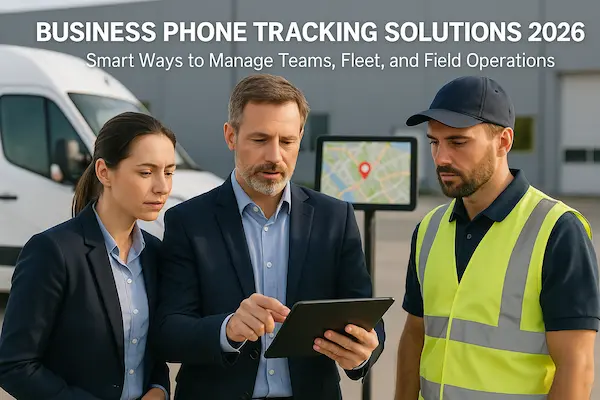
Modern mobile teams run on phones, not desks. Business phone tracking solutions give you real time visibility into work in the field so you can route jobs smarter, protect staff and stay compliant, without turning everyday tracking into secret surveillance.
Quick TLDR for busy managers
- Business phone tracking solutions help you monitor work related location, calls and device status for mobile teams under clear rules.
- The real value of business phone tracking solutions is better routing, fewer missed visits, faster service and safer lone workers, not spying on staff.
- To stay compliant, you need explicit policies, transparent consent, reasonable data limits and strong access control around your tracking tools.
- Small teams can start with lightweight GPS based business phone tracking solutions, while fleets and high compliance industries usually need MDM or enterprise platforms.
- Use this guide as a 30 to 90 day rollout checklist to move from ad hoc tracking to a sustainable, policy driven program.
1. Why Your Mobile Teams Need Business Phone Tracking Solutions
For delivery, field service and sales teams, “Where are you now?” has become a daily question. Business phone tracking solutions replace guesswork with a live, reliable view of what happens in the field, as long as they are used in a fair and lawful way.
1. From office based work to mobile first teams
Work has moved from fixed desks to vans, job sites and customer locations, so managers rarely see their teams in person. Business phone tracking solutions close this visibility gap by turning work phones into a simple signal of where people and jobs really are.
2. What business phone tracking really means for companies
In this guide, business phone tracking means monitoring clearly defined work data on company phones or approved BYOD devices: location in working hours, basic call activity and device status. It is a structured work tool, not a secret spy app on someone’s private life.
3. Key benefits and risks of employee phone tracking
Used well, employee phone tracking improves routing, cuts missed visits and supports lone workers when something goes wrong. Used badly, it feels like constant surveillance and creates legal and cultural risk that can wipe out the benefits.
4. How this guide helps operations, HR and legal teams
Operations leaders will see how to turn tracking data into smoother routes and faster response. HR and legal teams get a clear framework to align business phone tracking solutions with contracts, policies, privacy rules and everyday behaviour.
2. Key Takeaways From This Business Phone Tracking Guide
If you only skim this page, these are the main points you should remember about using phone tracking with mobile teams.
1. When simple GPS tracking apps are enough
Small teams with a few drivers or technicians can start with a light GPS app that shows who is where, basic trip history and proof of visit.
2. When you should consider full MDM based tracking
Once you issue many work phones, handle sensitive data or face strict audits, you usually need MDM with device control, remote wipe and compliance checks.
3. How to balance visibility, privacy and trust
Track what you truly need for work, limit logging outside working hours and near homes, and explain these limits in plain language to your staff.
4. The minimum policy and consent framework you need
Have a short written policy, clear consent text and a simple way to answer questions about what is collected, why, who sees it and how long it is stored.
5. Where tracking fits in your wider tech stack
The real value appears when location and call data connect to CRM, dispatch and support tools so scheduling, updates and safety alerts all improve together.
3. Understanding Business Phone Tracking In A Work Context
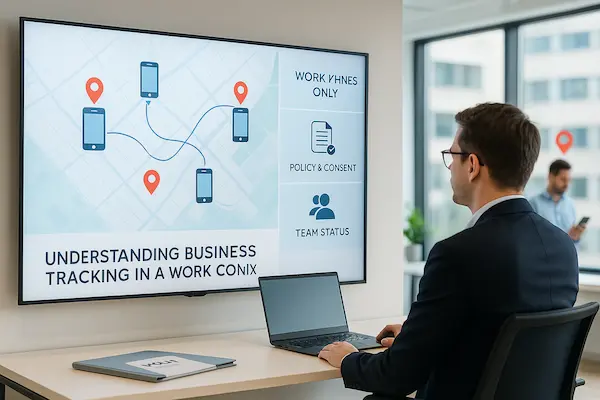
Before you choose any tool, you need a clear picture of what business phone tracking solutions are meant to do at work. In this guide, tracking is a narrow, work only signal that helps you plan routes, protect people and document service – not a way to watch private life.
1. The difference between consumer tracking and business phone tracking solutions
Consumer apps often track location for social sharing, ads or generic analytics. In a business setting, tracking is deployed for specific goals like routing, proof of service or safety and must fit written policies and contracts.
2. What data is usually tracked on company phones and BYOD phones
Most setups collect a small set of work signals: location in working hours, arrival and departure times, basic call details and device health. On BYOD, this should be limited to a work profile or business app, not the full personal phone.
3. Key stakeholders – IT, HR, Legal, Operations and mobile employees
IT handles devices and security, HR manages fairness and communication, Legal checks consent and retention, Operations needs field visibility and mobile staff live with the system daily. A durable program listens to all of them.
4. Where tracking stops – private life, families and off duty time
Tracking should pause outside agreed working hours, avoid detailed logs around home locations and never extend to family members. Clear technical and policy limits here make the whole system easier to accept.
4. Legal And Ethical Foundations For Employee Phone Tracking
Employee phone tracking only works long term if people see it as fair and lawful, not as a secret spying tool. Before you roll out any Business phone tracking solutions, you need a simple, shared understanding of why tracking is needed and how data will be protected.
1. Start With A Clear Business Purpose
Begin with the real problems you are trying to solve, such as routing field staff, protecting company devices or proving that a visit actually happened. Write these purposes down in plain language and check them against local employment and privacy rules. When employee phone tracking is clearly linked to day to day workflows, it is easier to explain and defend.
2. Be Transparent About What You Track
Tell people upfront what you track, when tracking is active and which devices or apps are included. Make it clear if tracking is limited to company phones, work hours and work apps, and what happens when a phone is used after hours. A short, readable policy plus basic training shows that phone tracking is part of how mobile work is managed, not a hidden background tool.
3. Limit Data, Retention And Access
Collect only the data you really need, such as general location, job timestamps and device status, instead of full content or constant micro level tracking. Set clear retention periods so data is not kept forever. Restrict access to a small group of trained managers and log who looks at what, so your Business phone tracking solutions stay aligned with privacy best practice.
4. Keep Use Fair And Proportionate
Apply the same tracking rules to similar roles and avoid singling out individuals or groups without a strong reason. Do not rely only on tracking data for serious disciplinary decisions. Train managers to read the data in context and to talk about employee phone tracking in a respectful way, so staff see it as a normal work tool rather than a threat.
5. Core Business Phone Tracking Use Cases For Mobile And Field Teams
Most mobile teams use tracking to solve a few repeat problems: knowing where people are, proving jobs were done on time, seeing how calls are handled and keeping lone workers safer. These are the moments where business phone tracking solutions really prove their value.
1. Real time location tracking for field and delivery staff
Dispatchers see who is closest to the next job, where someone is delayed and when a route no longer makes sense.
2. Time on site, proof of visit and job completion verification
Check in / check out times, short notes and photos provide simple proof of visit and protect your team in client disputes.
3. Call history analytics for customer service and sales coaching
Call logs highlight missed calls, slow follow ups and unusual talk time patterns so managers can coach with facts, not guesses.
4. Safety, lone worker protection and emergency response workflows
Check in prompts, panic buttons and last known location help you react faster when something goes wrong in the field.
5. Compliance and audit trails in regulated industries
Light but consistent logs around device status, access and key actions create an audit trail that supports reviews and audits.
Table 1 – Core work use cases and what to track
| Use case | Typical roles | Main data to track | Key benefit |
|---|---|---|---|
| Real time routing | Couriers, field techs, reps | Live location in working hours, route history | Faster response and fewer missed or late visits |
| Proof of visit | Drivers, inspectors, cleaners | Check in / out time, site ID, photos | Clear evidence for clients and smoother invoicing |
| Service and sales follow up | Sales, support | Call time, number, duration, simple outcome tags | Fewer missed calls and better coaching |
| Lone worker safety | Night staff, remote workers | Check ins, last location, panic alerts | Faster help in incidents, stronger duty of care |
| Compliance and audits | Finance, healthcare, security | Device compliance, access and action logs | Easier audits and clearer incident reviews |
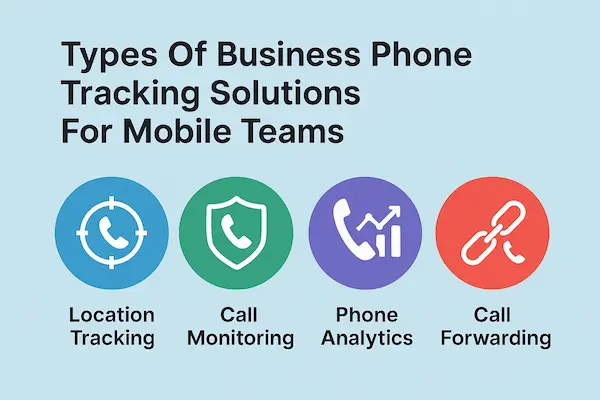
6. Types Of Business Phone Tracking Solutions For Mobile Teams
Not every team needs the same setup. Most companies end up choosing from a small family of business phone tracking solutions, ranging from simple apps to full device management platforms.
1. Simple GPS tracking apps for small mobile teams
These tools focus on a live map, basic trip history and a few simple reports. They suit small teams that mainly need to see who is where and confirm that visits happened, without heavy IT work.
2. Fleet and field service platforms with dispatch and routing
Fleet style systems combine location, jobs and routing in one place. Dispatchers create or assign tasks, optimise routes and track progress through the day, which works well for delivery or service fleets with structured schedules.
3. Mobile Device Management platforms and work profile based tracking
MDM platforms control the whole device or a work profile. They add app control, encryption, remote wipe and compliance checks on top of basic location, so they fit larger teams, sensitive data and stricter audits.
4. Call logging and communication analytics tools for business phones
These tools focus on calls and messaging rather than pure GPS. They show missed calls, response times and simple trends in talk time so managers can improve follow up, service quality and coaching.
5. All in one suites that combine tracking, jobs and communication
Some vendors bundle maps, job management, messaging and reporting into one product. These suites reduce the number of tools teams have to juggle, but they need more careful setup and change management.
7. Choosing The Right Business Phone Tracking Model For Your Company
Different teams need different setups. The right way to use business phone tracking solutions depends on your team size, risk level, device mix and how structured your daily routes are.
1. Mapping your mobile workforce – size, structure and locations
Start by listing who is actually in the field, how often and where. A small local crew that works in one city has very different needs from a multi region fleet or a sales team that travels across countries.
2. Company phones, BYOD or mixed models for mobile teams
Decide which roles need company issued phones and where BYOD is acceptable. Company devices give more control and simpler tracking. BYOD cuts hardware cost but needs tighter limits and clearer rules on what is and is not tracked.
3. Matching tracking features to real use cases
Take the core use cases from earlier – routing, proof of visit, call follow up, safety, compliance – and mark which ones matter most to each group. Choose tools that solve those specific problems instead of buying every feature on a vendor’s list.
4. Total cost of ownership beyond licence price
Budget for more than monthly fees. Include devices, mobile data, IT time, training, change management and ongoing admin. A cheaper product that needs a lot of manual work can cost more than a slightly higher licence with better automation.
5. Build, buy or extend existing tools in your stack
Check what you already have. Sometimes you can extend your fleet, CRM or field service platform with a tracking module instead of adding a brand new system. In other cases a focused, stand alone product will be easier to roll out and support.
Table 2 – Business phone tracking approaches by team profile
| Business profile | Recommended model | Why it fits | What to watch out for |
|---|---|---|---|
| Small team, few vehicles | Simple GPS app | Quick to deploy, low cost, easy to learn | Limited controls, watch data privacy settings |
| Local delivery or service fleet | Fleet / field service platform | Combines jobs, routes and tracking in one place | Needs good dispatch habits and data quality |
| Mixed office and field sales team | Light tracking plus CRM | Links visit activity to pipeline and accounts | Avoid over logging outside agreed work hours |
| High compliance industry | MDM based model | Strong control, encryption and audit trails | Get legal review in every country you operate in |
| Heavy use of contractors or seasonal staff | Flexible SaaS with temp licences | Easy to scale up and down with demand | Have a clear offboarding and data clean up process |
8. Step By Step Implementation Plan For Business Phone Tracking Solutions
Rolling out business phone tracking solutions should feel like a planned project, not a rushed app install. A clear sequence of steps keeps you out of legal trouble, avoids staff backlash and makes sure the system actually supports your mobile teams.
1. Define clear tracking goals and non negotiable rules
Start by writing down what you want to fix in the next 6 to 12 months: fewer missed visits, better ETAs, safer lone workers, cleaner audit trails. On the same page, list what you will not do, such as tracking outside agreed hours or reading private content. This one sheet will guide every later decision.
2. Involve HR, Legal, IT and frontline managers early
Bring HR, Legal, IT and a few respected frontline managers into the plan before you pick tools. HR and Legal shape contracts, consent and policies. IT checks what is realistic on current devices. Frontline leaders explain how tracking will actually feel on the road and which rules will work in practice.
3. Run a pilot with a small mobile team and refine your approach
Choose a small, representative group and pilot your chosen business phone tracking solutions for a few weeks. Keep the scope tight, collect feedback often and adjust settings, policies and training material. Treat this phase as a safe place to find problems before you scale up.
4. Design a rollout plan, timelines and internal communication
Once the pilot works, map out when each team will join, who will train them and how questions will be handled. Share simple explainers, screenshots and short Q and A sessions instead of long policy documents alone. Make it clear who staff can contact if something feels wrong or confusing.
5. Set up monitoring, feedback loops and continuous improvement
After rollout, keep watching a small set of metrics such as missed visits, response times and safety incidents. Schedule regular check ins with managers and field staff to hear how tracking affects their day. Use this feedback to tune alerts, reports and rules so the system stays helpful instead of becoming background noise.
9. Privacy, Transparency And Employee Trust In Phone Tracking
Even the best business phone tracking solutions will fail if people feel watched instead of supported. Trust comes from clear limits, honest language and managers who use data to help, not to hunt for mistakes.
1. Why secret phone tracking destroys culture and performance
If staff discover tracking by accident, they quickly assume the worst. Rumours spread, small issues become big, and people start hiding or working around the system. Productivity may look high on paper but engagement and loyalty drop.
2. How to explain tracking in simple, honest language
Skip legal jargon. Explain why you are using phone tracking, what it helps fix and what it will never be used for. Share real examples, such as faster help in breakdowns or clearer proof in client disputes, so people see the upside for them too.
3. Clear boundaries for work hours, private time and home locations
Set and document firm limits. Track only during defined working hours, avoid detailed logging around homes and exclude private apps or content. When people see technical and policy limits, they are more willing to accept tracking as part of the job.
4. Handling objections and tough questions from employees
Expect questions about how long data is kept, who can see it and what happens if someone is in the wrong place at the wrong time. Answer calmly, stay consistent and avoid one off exceptions for favourites. Consistency builds more trust than big promises.
5. Turning tracking data into coaching and support, not punishment
Use data first to remove friction, improve routes and spot teams that are overloaded. When you do address problems, focus on patterns, not single events. Publicly share positive stories where tracking helped staff, so people see it as a safety net, not a trap.
10. Managing BYOD And Company Owned Phones In Your Tracking Strategy
Most mobile teams end up with both company devices and personal phones used for work. To keep business phone tracking solutions fair and acceptable, you need different rules for each, not one blanket policy.
1. Pros and cons of BYOD for phone tracking
BYOD saves hardware cost and lets staff use a phone they like, but privacy worries are higher and control is weaker. Company phones cost more but make setup, support and tracking rules much simpler.
2. Work profiles and containerised apps on Android and iOS
On Android, a work profile or managed app keeps business data and tracking separate from the personal side of the phone. On iOS, management happens at app and config level, but the idea is the same – work signals inside the managed space, private life outside.
3. Compensation, stipends and fair use rules for personal phones
If people use their own phones, offer a small stipend or clear expense policy. Write down what costs you cover, when work contact is expected and when they are free to switch off.
4. Offboarding procedures when mobile staff leave
When someone leaves, remove access fast: wipe or reassign company phones, and remove work profiles or managed apps from BYOD. A simple offboarding checklist shows that your business phone tracking solutions have a controlled, predictable life cycle.
11. Key Metrics And Dashboards To Measure Business Phone Tracking ROI
If you do not measure results, even the best business phone tracking solutions will look like extra work instead of a real asset. A short, focused metric set is enough to show if tracking is improving routes, service and safety.
1. Reporting to leadership without drowning in tracking data
Keep executive reports to a one page summary with a few trend charts, key wins, key risks and 1 to 2 decisions needed. Always connect tracking data to cost, service levels and safety so leadership sees ongoing value.
2. Operational metrics – jobs per day, time on site and route efficiency
Track jobs closed per day, average time on site and the split between driving time and working time. Spikes in travel time or long idle gaps usually signal routing or scheduling issues, not lazy staff.
3. Customer metrics – response time, missed calls and callbacks
Measure response time for new jobs, missed calls and callback speed. These metrics link directly to customer experience and are often the fastest way to prove service has improved with tracking.
4. Safety and risk indicators for mobile and lone workers
Monitor check in rates, use of panic features and patterns of incidents or near misses. More late night visits or work in high risk areas should trigger changes to staffing, equipment or procedures.
5. How often managers should review tracking dashboards
Frontline managers do not need dashboards open all day. A quick daily scan for red flags and a deeper weekly review of trends is usually enough so they can spend more time coaching than checking charts.
12. Advanced Phone Tracking Features And Integrations For Scaling Up
Once your core setup is stable, advanced features in business phone tracking solutions help you automate routine tasks, trigger smart alerts and plug tracking into the tools your teams already use.
1. APIs and future proofing your tracking stack
Choose vendors with clean APIs and webhooks so you can connect new tools, markets and compliance requirements later without rebuilding your tracking stack from zero.
2. Geofencing, smart alerts and automated workflows
Draw virtual zones around depots, customer sites or risk areas so that entering or leaving a zone can automatically trigger alerts, update job status or send the right message at the right time.
3. Integrating tracking with CRM, helpdesk and ERP systems
Push live location and visit events into your CRM, helpdesk or ERP so agents see where a technician is inside the ticket and planners use real route history when building upcoming schedules.
4. Using call recordings and logs for quality and training
Where local laws allow, use selective call recordings and structured logs to coach staff, resolve disputes and review edge cases instead of trying to record every second.
5. Role based access control and granular permissions
Use role based access so team leaders, HR, Legal and executives each see only the data they need, which reduces risk and makes staff more comfortable with monitoring.
13. Common Business Phone Tracking Mistakes And How To Avoid Them
Even good business phone tracking solutions can fail if they are dropped in without rules or explanation. Most problems come from a few repeat mistakes.
1. Deploying tracking before defining clear policies
Rolling out an app before you have a simple written policy makes people feel ambushed. Staff should know what is tracked, why, who can see it and how long it is stored.
2. Over tracking and creating a feeling of constant surveillance
Collecting every possible data point rarely helps. Focus on a few signals that support routing, safety and service, and switch off anything you do not actually use.
3. Ignoring legal and cultural differences between regions
A setup that is normal in one country can be risky in another. Always let local HR and Legal review settings before standardising business phone tracking solutions across markets.
4. Under investing in communication and training
If people only see a new icon on their phone and a long PDF, they will not trust the system. Use short briefings, simple examples and Q&A sessions so everyone understands the benefits and limits.
5. Letting tracking data pile up without owners or follow up
If nobody owns the dashboard, nothing changes. Assign clear owners, decide which metrics matter and build a short monthly routine to review results and adjust routes, rules or training.
14. Real Life Case Studies – Business Phone Tracking In Action
Stories from the field show what these tools really do beyond dashboards and policies. Here are four simple examples of how business phone tracking solutions changed daily work for different teams.
1. Local delivery company reducing missed drops
A small delivery firm mapped all drivers on a live screen and logged basic proof of delivery at each stop. Within a few weeks they cut missed drops, shortened routes and stopped arguments about whether a driver had really visited a customer.
2. Field service team improving first visit resolution
A maintenance company linked job tickets to location and time on site. Managers spotted sites where engineers always had to return and adjusted checklists and spare parts. First visit resolution went up and the team spent less time driving back to the same places.
3. Sales team using call and visit insights to close more deals
A travelling sales group tracked visits and call activity against pipeline stages. They found that quick follow up calls after first visits were the biggest driver of closed deals. The team shifted habits, focused on timely follow ups and saw conversion rates rise without adding headcount.
4. High compliance firm tightening audit trails without losing trust
A security company used business phone tracking solutions mainly for logs: where devices were, when staff checked in and which jobs they accepted. Clear policies, short briefings and limited access to detailed data meant staff accepted the system, while audits and incident reviews became much easier to handle.
15. Future Trends In Business Phone Tracking For Mobile Teams
Phone tracking is shifting from dots on a map to smarter tools that suggest routes, staffing and safety steps. The next wave of business phone tracking solutions will focus less on raw feeds and more on timely, helpful recommendations.
1. From raw tracking data to intelligent mobile workforce assistance
Today most teams still read maps and reports by hand. Over time, systems will highlight unusual patterns, suggest actions and surface only the few events that really need a manager’s attention.
2. AI based routing, forecasting and workload balancing for field teams
Routing engines will combine history, traffic and job priority to build smarter daily plans. They will also forecast busy days, flag likely delays and help spread workload more evenly across the mobile team.
3. Evolving privacy, employment and data protection expectations
Privacy rules and social expectations are tightening, not relaxing. Future setups will need stronger consent flows, clearer staff dashboards and easier ways for people to see and question what is stored about them.
4. Keeping your tracking stack adaptable over time
Instead of one huge, fixed platform, many companies will rely on modular tools with open APIs. Choosing business phone tracking solutions that plug in cleanly makes it easier to swap parts out as laws, markets and team structures change.
FAQs About Business Phone Tracking For Employees And Mobile Teams
1. Do we need written consent to track employee phones at work?
Yes, you should always inform staff in writing and get clear acknowledgement. The policy should say what is tracked, why, who can see it and how long data is kept.
2. Can we track company phones outside working hours?
In most cases you should not. Tracking should pause outside agreed work hours, except for clearly defined on call or emergency roles written into policy.
3. How long should we keep location and call data?
Keep data only as long as it serves a clear business or legal purpose. Many firms use a short window, then keep longer only for specific incidents or regulated records.
4. Can we track personal BYOD phones used for work?
Yes, but only with tight limits and explicit consent. Use a managed app or work profile so tracking covers business activity, not someone’s whole personal phone.
5. What should we tell employees before rolling out business phone tracking solutions?
Explain the problems you are solving, what will be tracked, what will never be tracked and how it helps their work. Share the policy in plain language and allow questions.
6. What happens if an employee refuses to use the tracking app?
First, listen and explain again how the system works. If tracking is essential to the role and this is clear in contracts and policies, refusal may mean they cannot do that job.
7. Is business phone tracking legal in every country?
The idea is common, but rules differ by region. Always ask local HR and Legal to review your setup so your business phone tracking solutions match local law and norms.
8. How is legal business phone tracking different from spy apps?
Legal business phone tracking solutions are transparent, documented and limited to work purposes. Spy apps are hidden, collect far more than needed and usually ignore consent and policy.
Conclusion – Turning Business Phone Tracking Into A Sustainable Advantage
When you strip the buzzwords away, business phone tracking solutions are simply a way to see how work really happens outside the office. Used with clear rules and honest communication, they quietly support safer teams, smoother routes and cleaner audits instead of feeling like surveillance.
Core principles to remember
Keep tracking narrow and work focused. Decide which problems you want to solve, write simple policies, involve HR, Legal, IT and frontline managers, then choose tools that fit your mobile teams instead of chasing features.
The line between control and support
Use data to fix routes, protect lone workers and resolve disputes fairly, not to micromanage every delay. When staff see tracking used mainly for safety and smoother operations, trust rises. When it is used to police every minute, even good tools will be rejected.
Quick 30 to 90 day action checklist
| Focus area | Next 30 days | Next 90 days |
|---|---|---|
| Goals and scope | Write one page on what you will track and why | Review goals monthly and remove any data that adds no value |
| Legal and policy | Draft or update a tracking and BYOD policy with HR and Legal | Train managers and refresh policy with new hires |
| Tools and setup | Shortlist 2 to 3 business phone tracking solutions and plan a small pilot | Tune settings from pilot feedback and document best practices |
| Communication and trust | Run at least one short Q and A with each affected team | Share real stories where tracking helped staff or customers |
| Metrics and improvement | Pick 3 to 5 simple KPIs for routes, service and safety | Review results with teams and agree small, regular tweaks |
Next steps with PhoneTracker247
If you want help turning these ideas into a live system, PhoneTracker247 gives you a structured way to design and operate lawful business phone tracking solutions for mobile teams. Start with a small pilot, use this checklist as your playbook and let PhoneTracker247 handle the heavy lifting so your managers can focus on running better routes and keeping people safe.
For daily updates, subscribe to PhoneTracker’s blog!
We may also be found on Facebook!